Trellaris is an enterprise AI agent platform built on one idea: employees
build agents where they work, governance decides what climbs to the team
and the company, and every run leaves a trace. The trellis is the frame;
the agents are the vine.
0 proprietary protocolsMCP for tools, A2A between agents, A2UI for forms in chat.
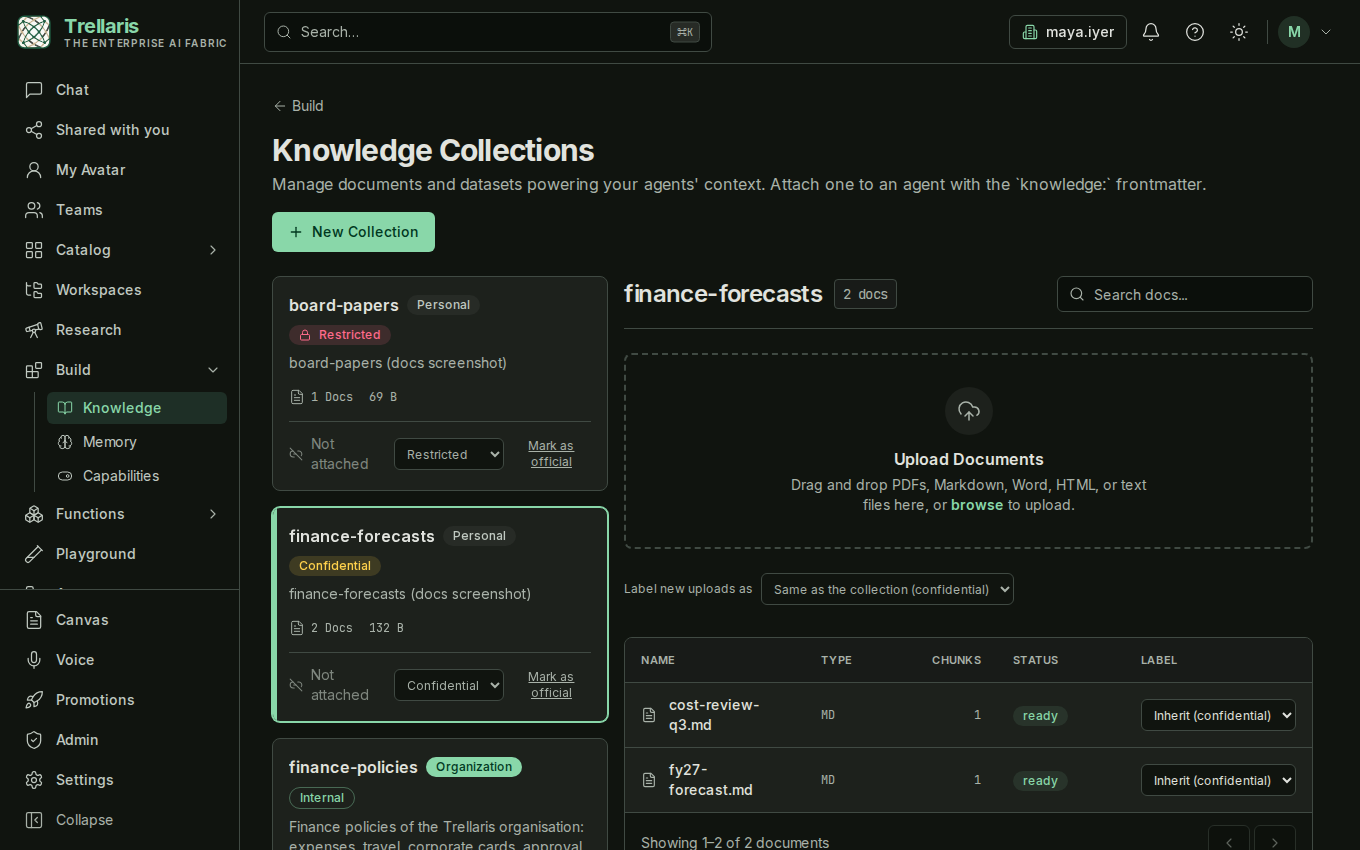
NewLabel the data, and the label decides how far an answer may travel
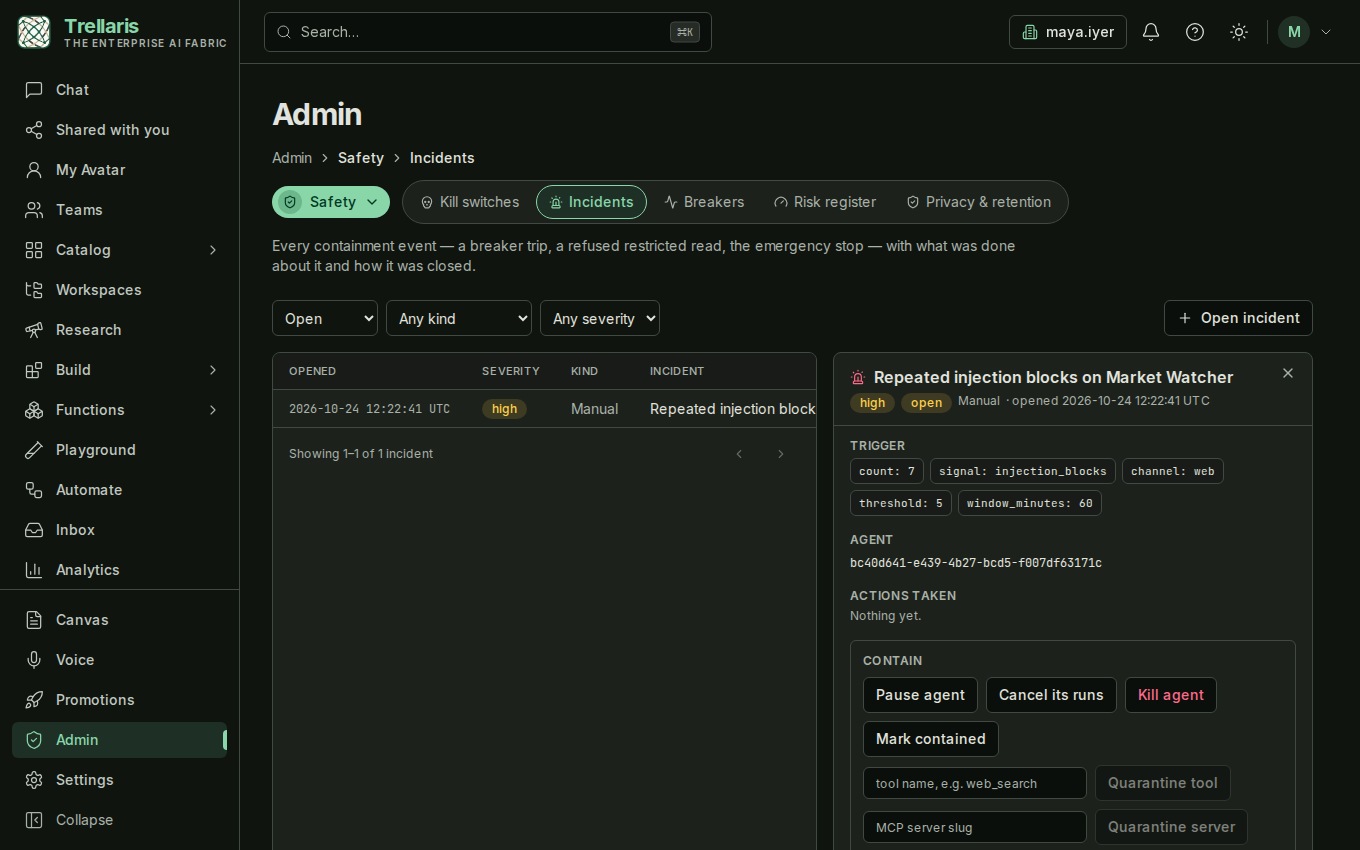
Every collection, document, upload and chat attachment now carries one of four labels: Public, Internal, Confidential, Restricted. A run that reads Confidential material waits for a person before it searches the web, drives a browser or calls another agent; one that reads Restricted material is refused. Breakers pause an agent that keeps misbehaving before anyone is at a keyboard, and every trip opens an incident that records what was done. Nothing changes until you label something.
How classification works →
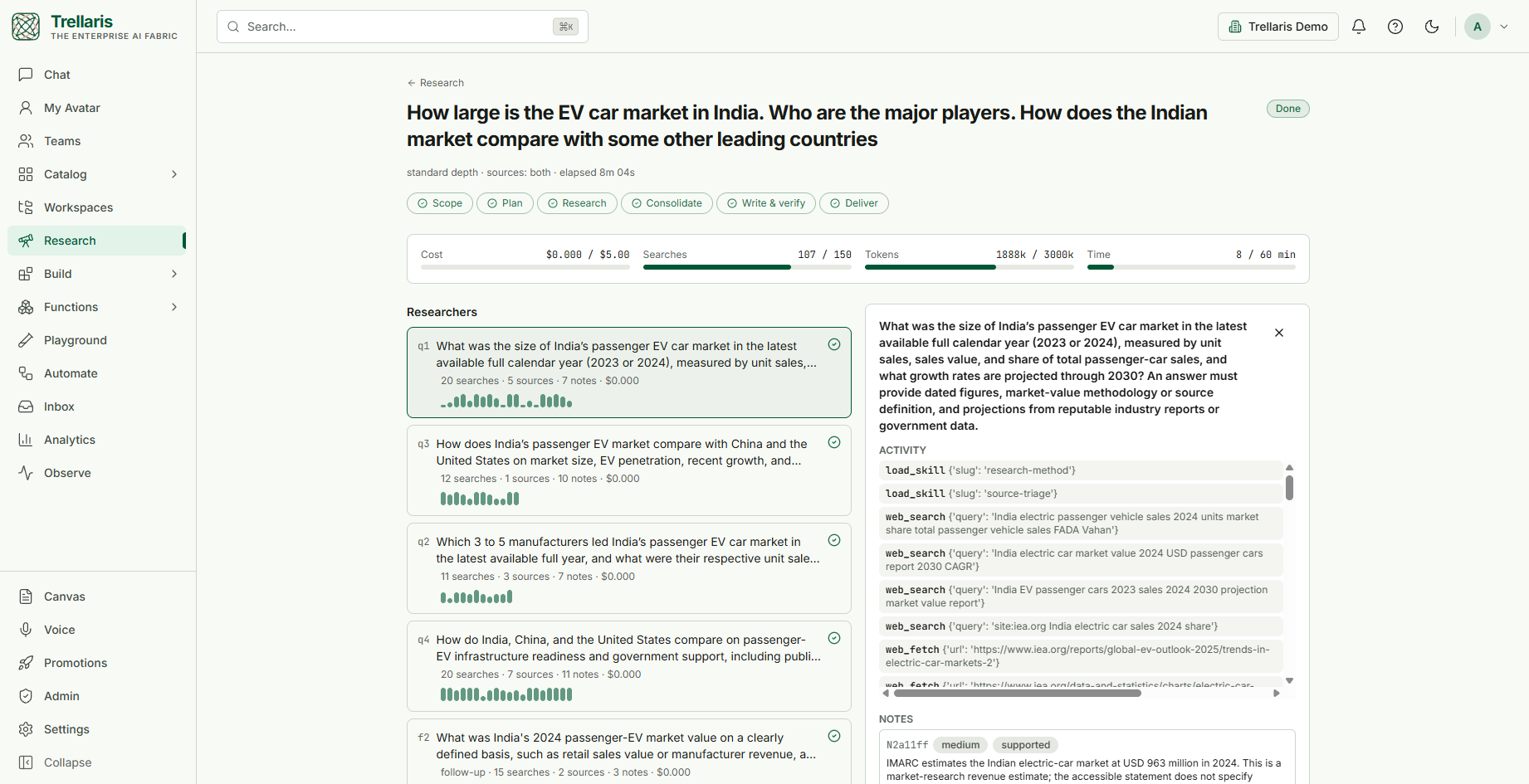
NewDeep Research you approve first, and can check afterwards
Ask a question on the new Research page and you see the plan — the sub-questions, the estimated cost and time — before anything is searched. Parallel researchers then record every finding with the exact passage it rests on; the report is written only from those notes, each sentence is checked against its passage, and each finding carries a confidence computed from its sources.
How a research run works →
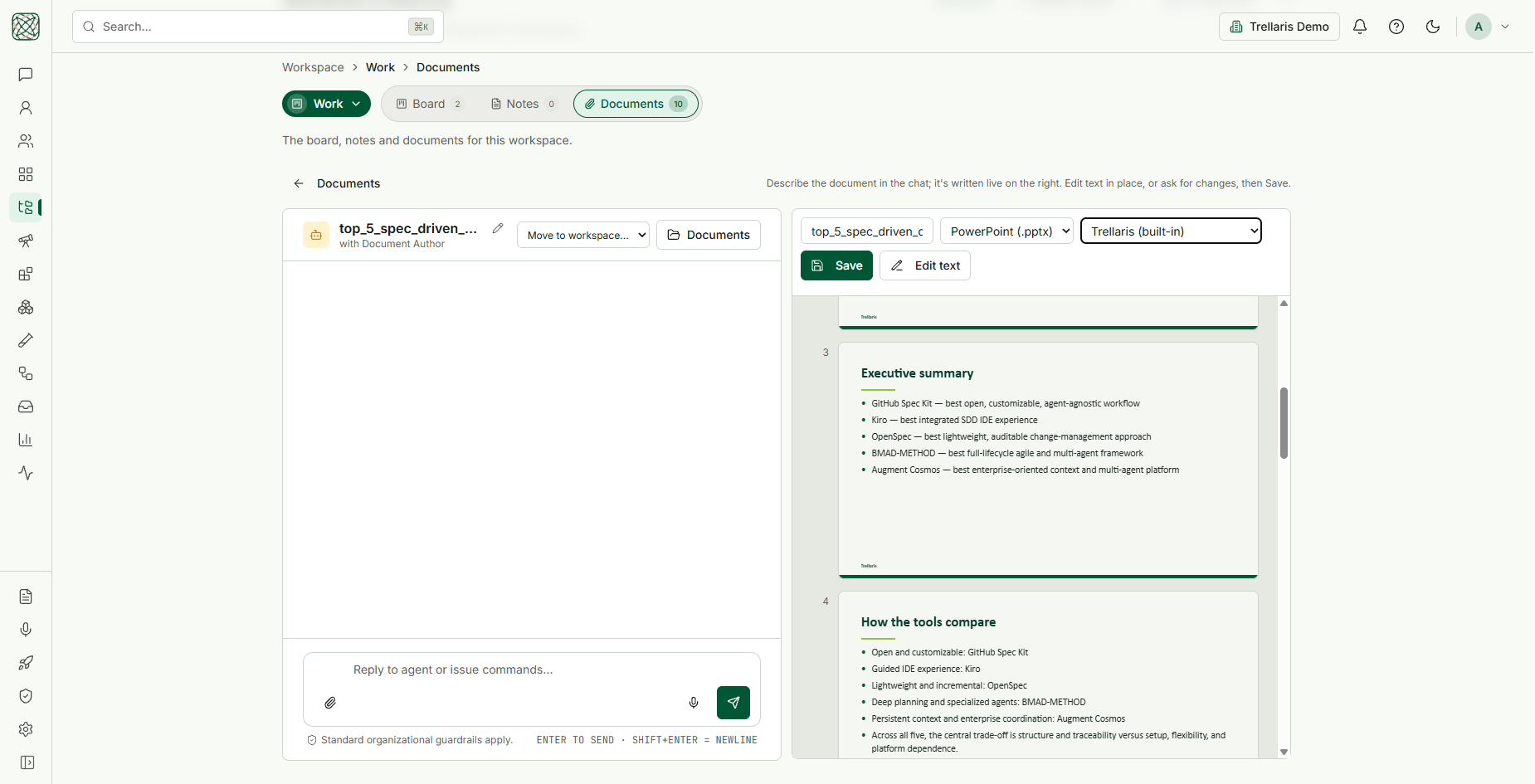
NewWrite a document or a deck with an agent, inside the workspace
The Document Author researches the facts, then drafts beside you in a live preview — pages, or slides in your organisation's template — and revises as you ask, edit in place or type a quick edit. Save it into the workspace as Word, PowerPoint or Markdown, and reopen any file there to keep working on it.
See the Document Author →
NewEvery organisation starts with a working set of agents
A router that decides who answers, a general assistant, an IT desk and the hands to carry its requests out, a travel desk, a market watcher, a weather agent, a document author and four policy experts reading your own finance, HR, legal and procurement documents. Each is an ordinary versioned agent — read it, edit it, replace it with your own.
Meet the built-in agents →
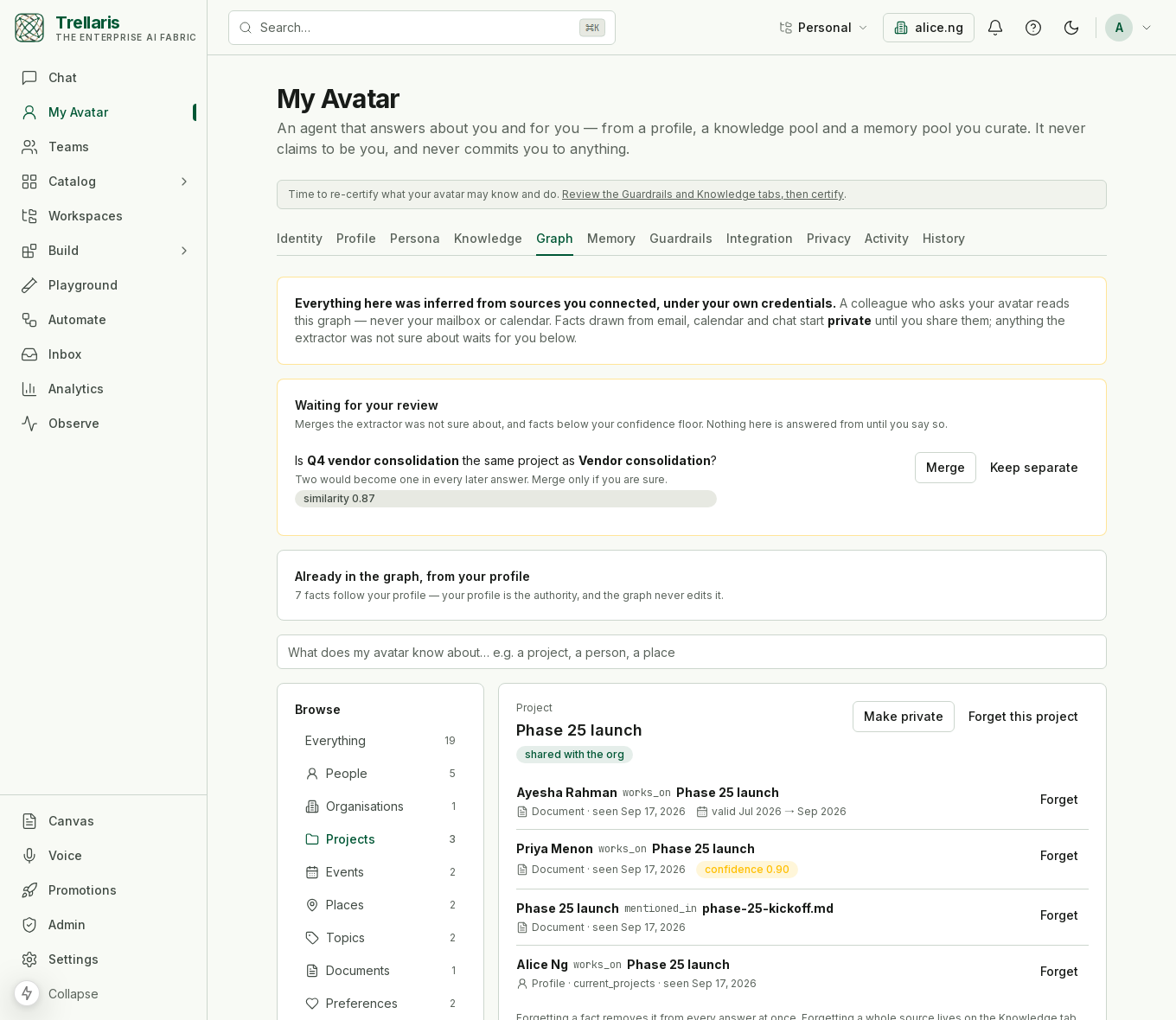
NewYour avatar now has a knowledge graph
The people, projects, events and places in your world, extracted from your own mail, calendar and documents, each fact with where it came from and when it was true. Your avatar answers from it; colleagues see only what you shared; nothing they say changes it.
Read how it works →
NewSecure code execution, one throwaway pod per run
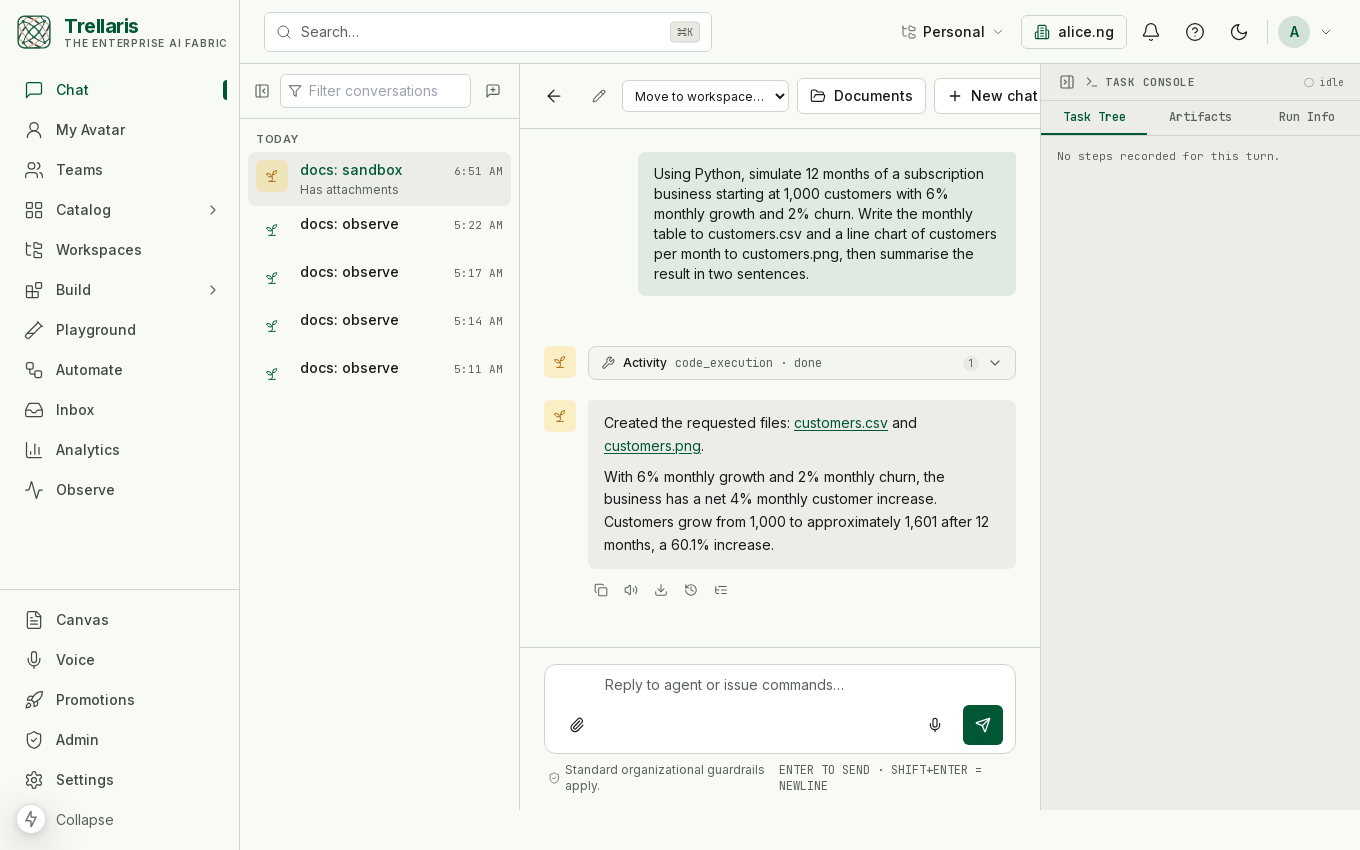
An agent can now run the script it wrote — a chart, a CSV, a PDF — in a sandbox that exists for that run alone: no network, no credentials, nothing kept, gone when it ends. In production every run is its own hardened Kubernetes pod, optionally its own lightweight VM, and the files it writes come back into the thread.
How it is isolated →
NewAgents can act in the systems that have no API
The browser tool lets an agent operate a web console the way a person does — open a page, read it, fill a form, submit it — under default-deny egress, an approval on every write, DLP on everything it reads, and a full recording of each step. The built-in IT Fulfilment agent shows it off: it carries out the requests the IT desk captures — licences, MFA, group membership, leavers — with a human approving each change.
See the browser tool →
Why a trellis
Most enterprise AI programmes fail in one of two ways. Either IT builds a
few sanctioned agents nobody asked for, or everyone builds their own and
nobody can say what they do, what they cost, or what they touched. A trellis
is the answer to both: it gives growth a structure without deciding in
advance what will grow on it.
I · Personal ring
Anyone can plant
Every member gets a workspace with the full toolset: an agent designer, a playground, knowledge, memory, skills. No ticket, no waiting. Most good agents start as someone's Friday afternoon.
II · Promotion
Only the reviewed climbs
Scans, evaluation floors, red-team suites, policy floors and a human reviewer stand between a draft and the team or org ring. A promoted copy is pinned; the original keeps evolving.
III · Runtime
Everything leaves a trace
One runtime, one event stream, one usage ledger. Every model turn, tool call, approval and delegation is recorded, and the audit log exports to your SIEM.
What people do with it
Ask a policy question and get a cited answer
The built-in Finance, HR, Legal and Procurement experts answer from your own policy corpus and cite the chunk they read. They explain; they never act.
Raise an IT ticket from a sentence
The IT help desk decides the category, draws one intake form in chat (an A2UI surface) asking only what that category needs, and raises the ticket. The built-in ticket tool is simulated and says so; the ServiceNow connector is the real one, and files the ticket as the person asking.
Let an agent answer for you
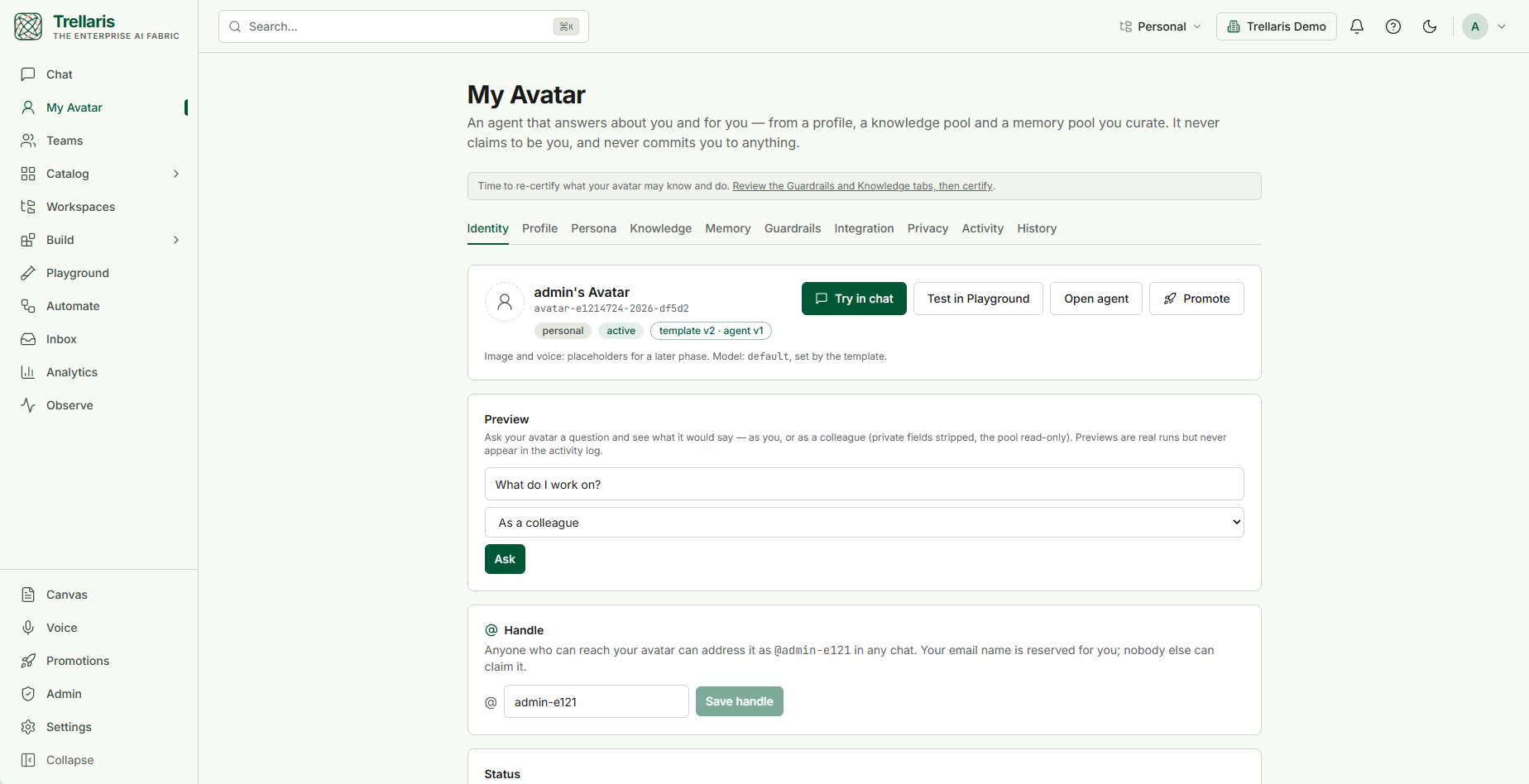
Every person gets an avatar that answers questions about them and for them, from a profile, knowledge and memory they curated on purpose — and now from a personal knowledge graph built from their own mail and calendar, private until shared — reachable by name before any model is consulted.
Watch a market, draw the chart, never advise
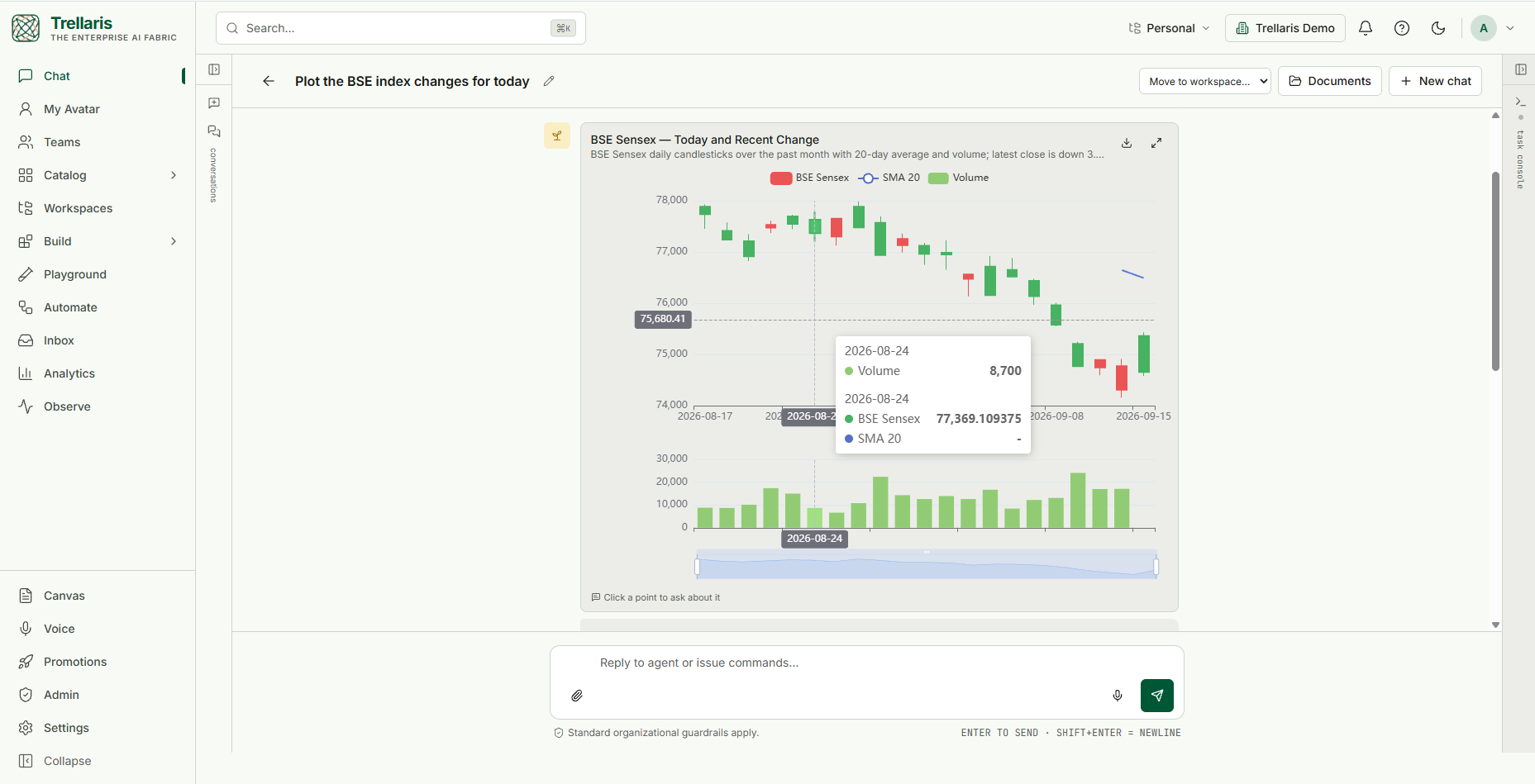
The market watcher pulls prices, renders a full chart in the thread, and describes what it sees without ever telling anyone what to buy.
Research a question and trust the report
Approve the plan and its cost, watch the researchers work, and read a report where every sentence has been checked against the passage it cites — then export it into a workspace as Word or PowerPoint.
Turn a request into a finished deck
Ask the Document Author for a presentation; it gathers current figures, drafts the slides in your template, and keeps revising until you save it into the workspace.
See it
Twenty-five surfaces from the demo organisation, as they look today. Click any of them to enlarge it.
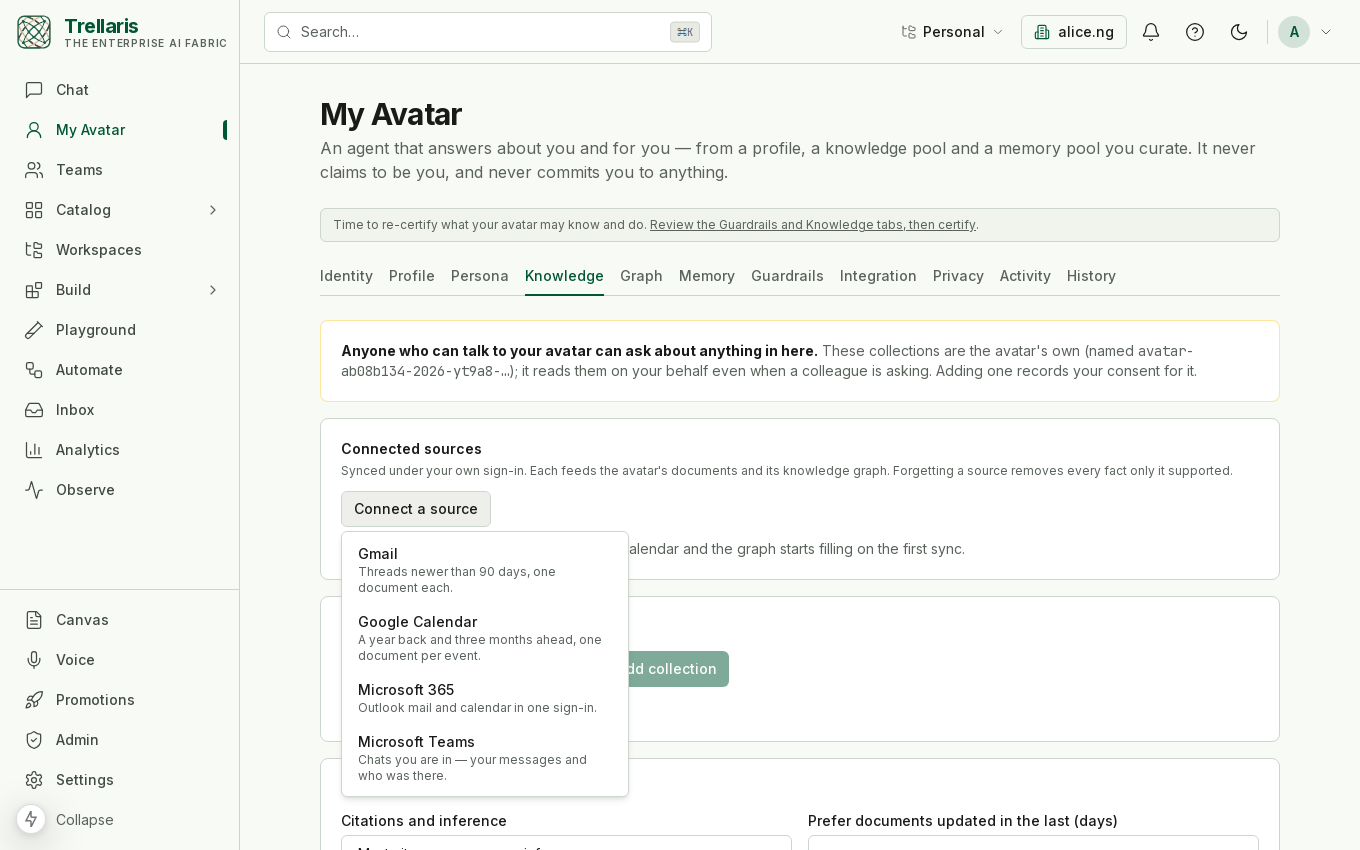
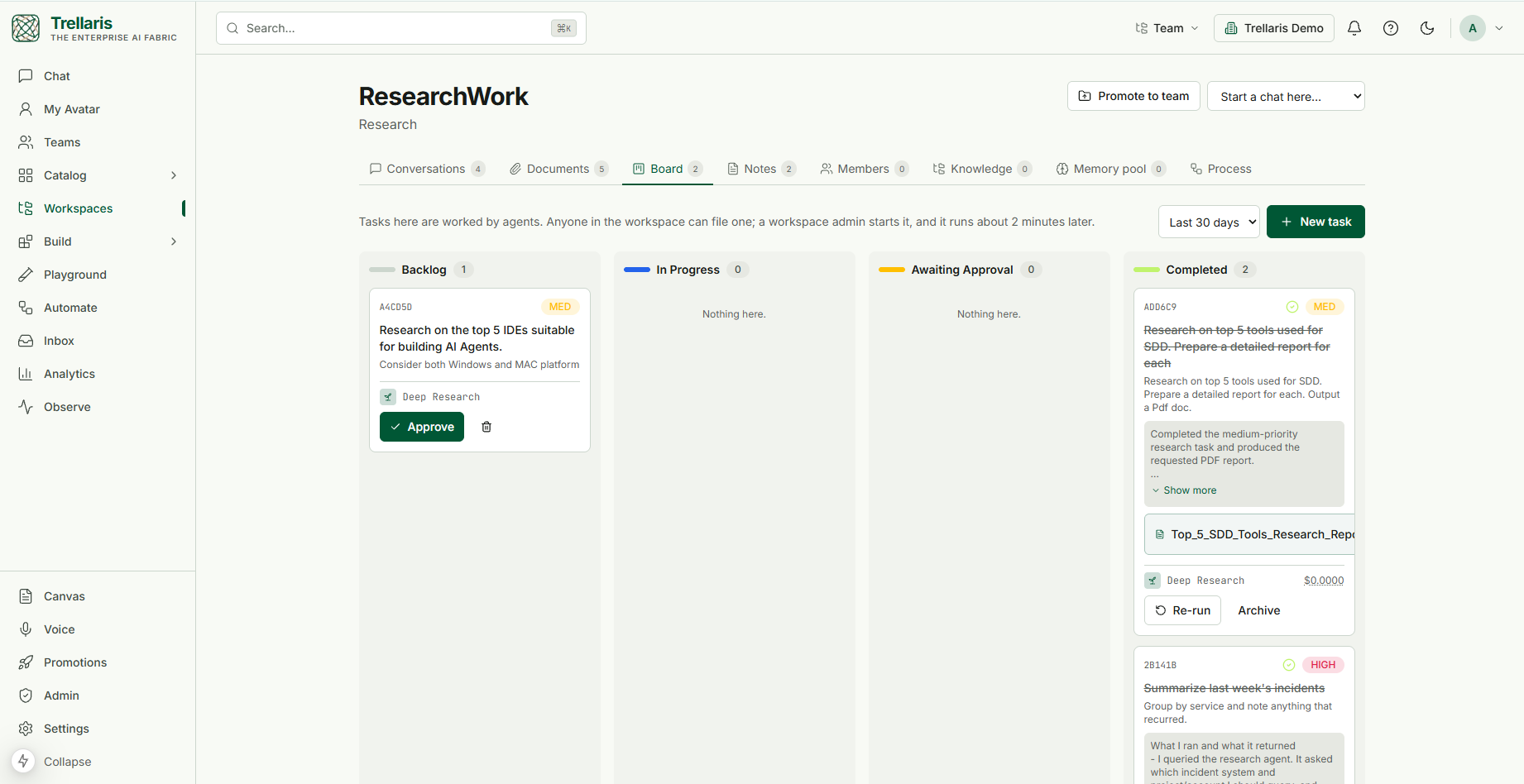
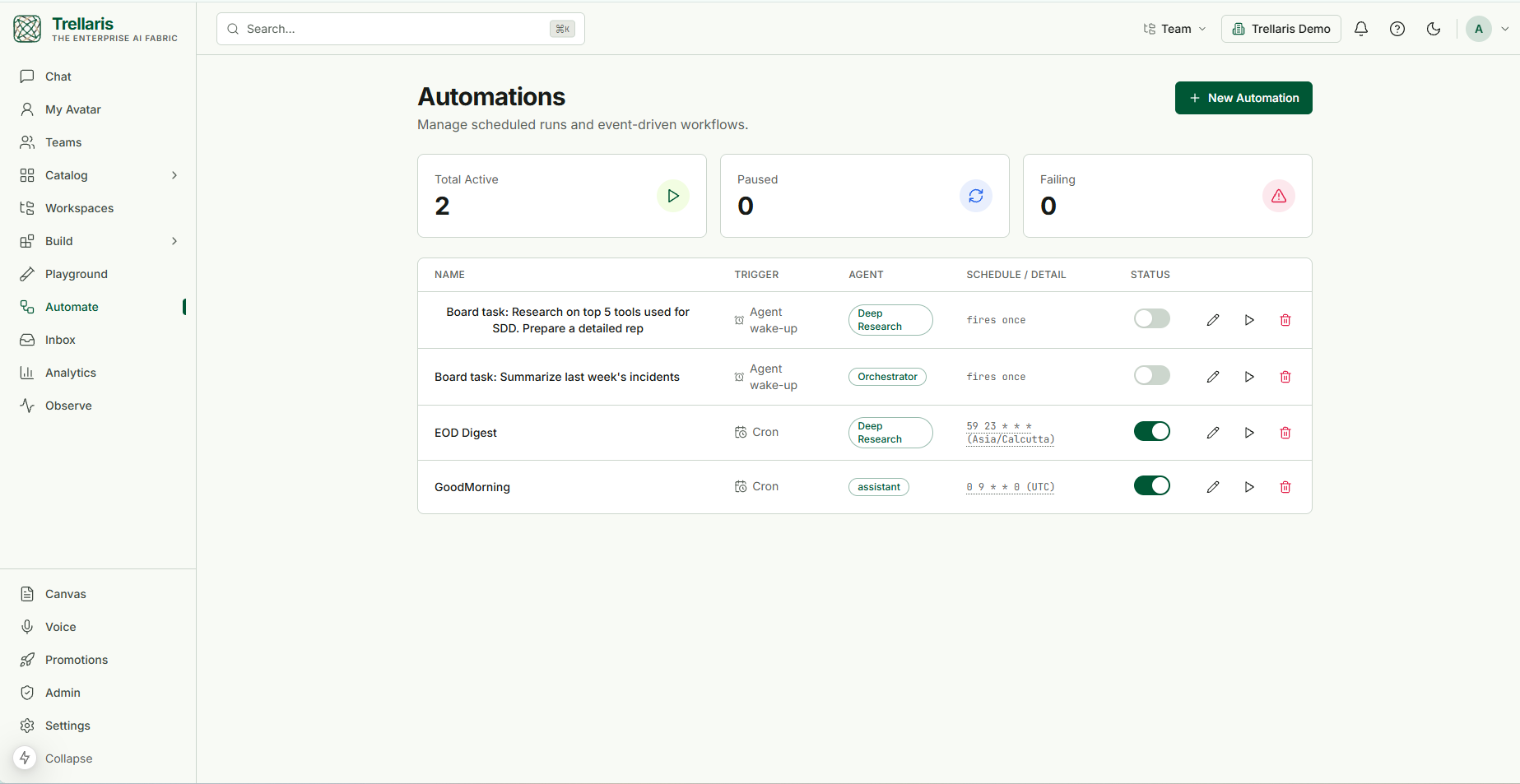
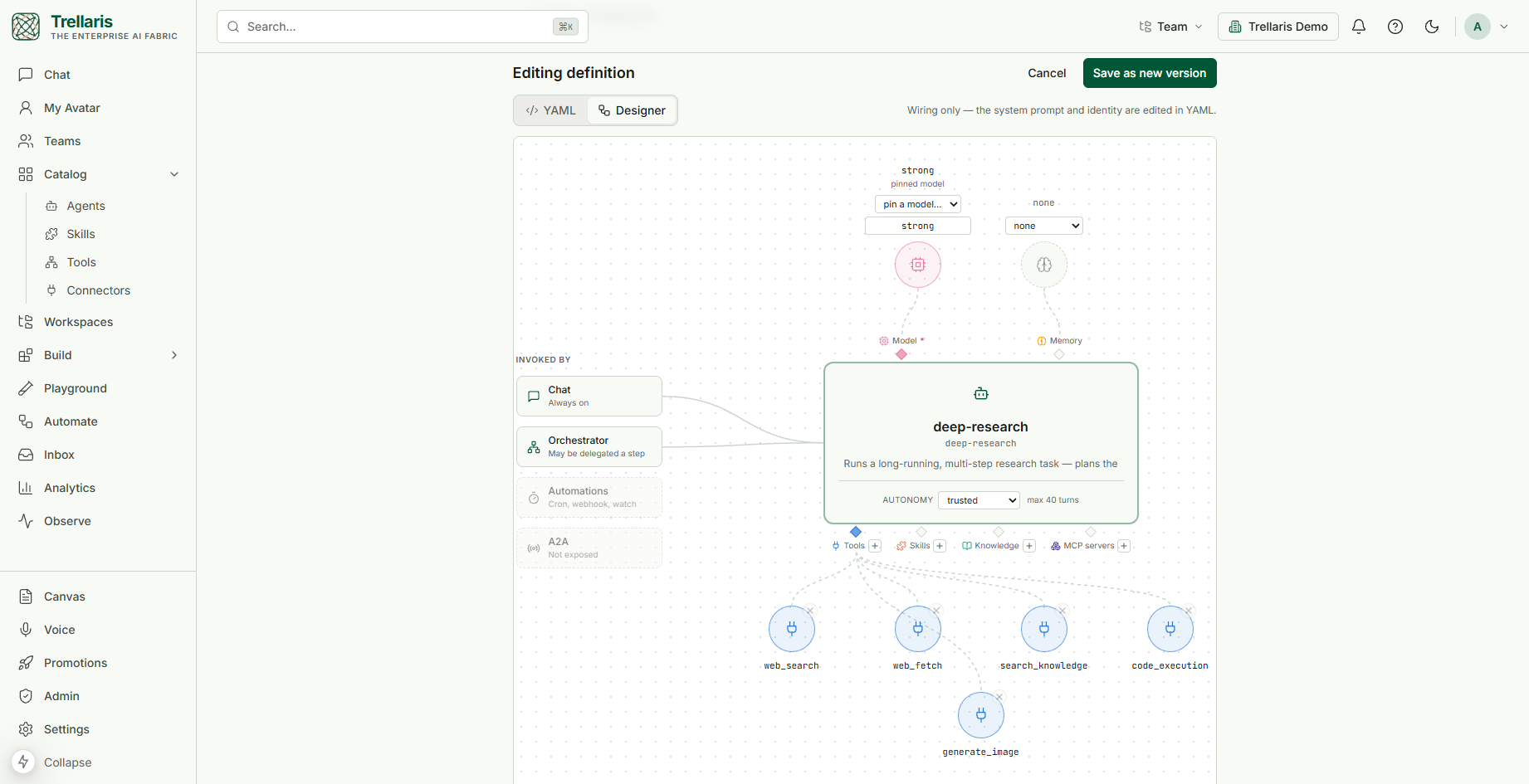
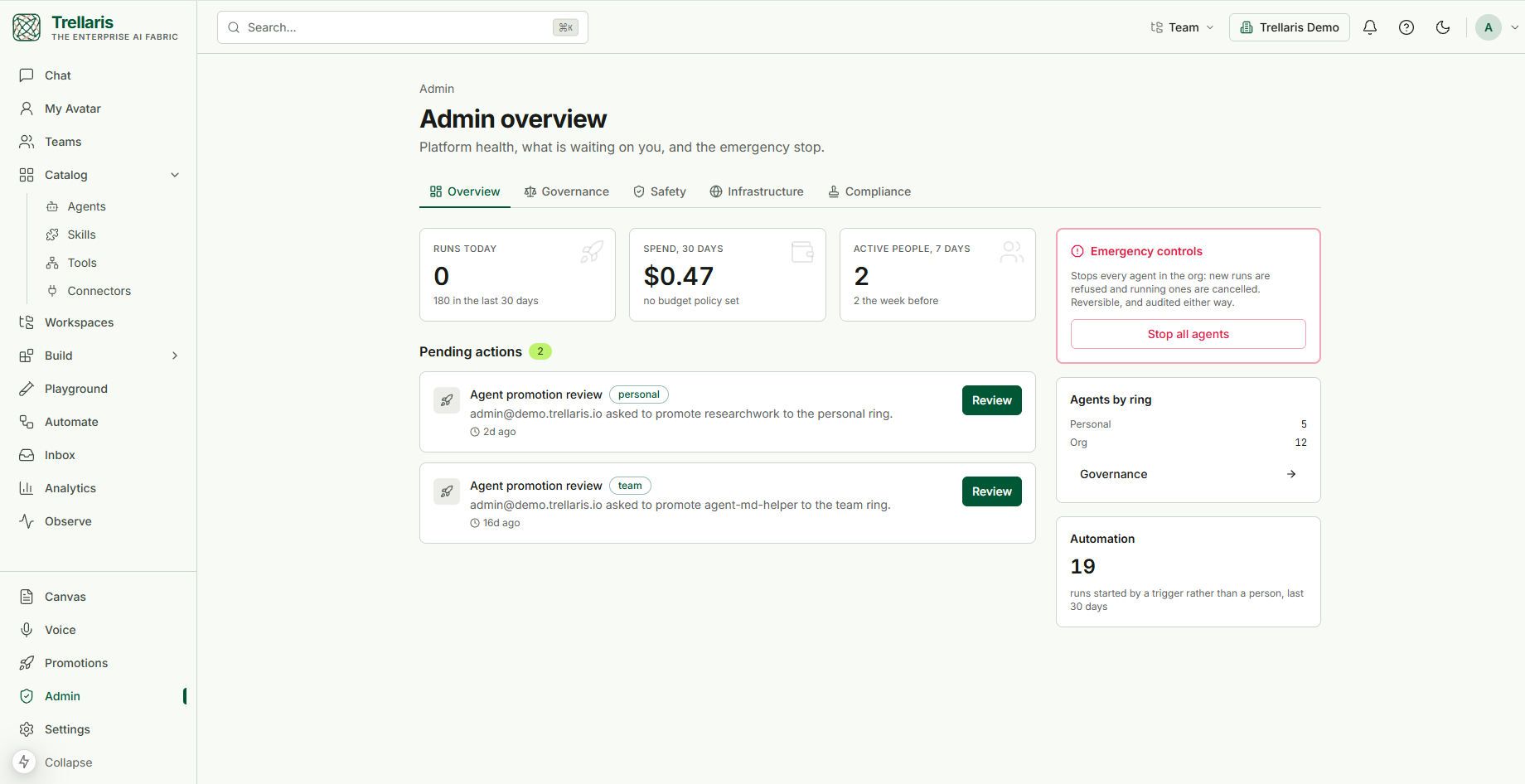
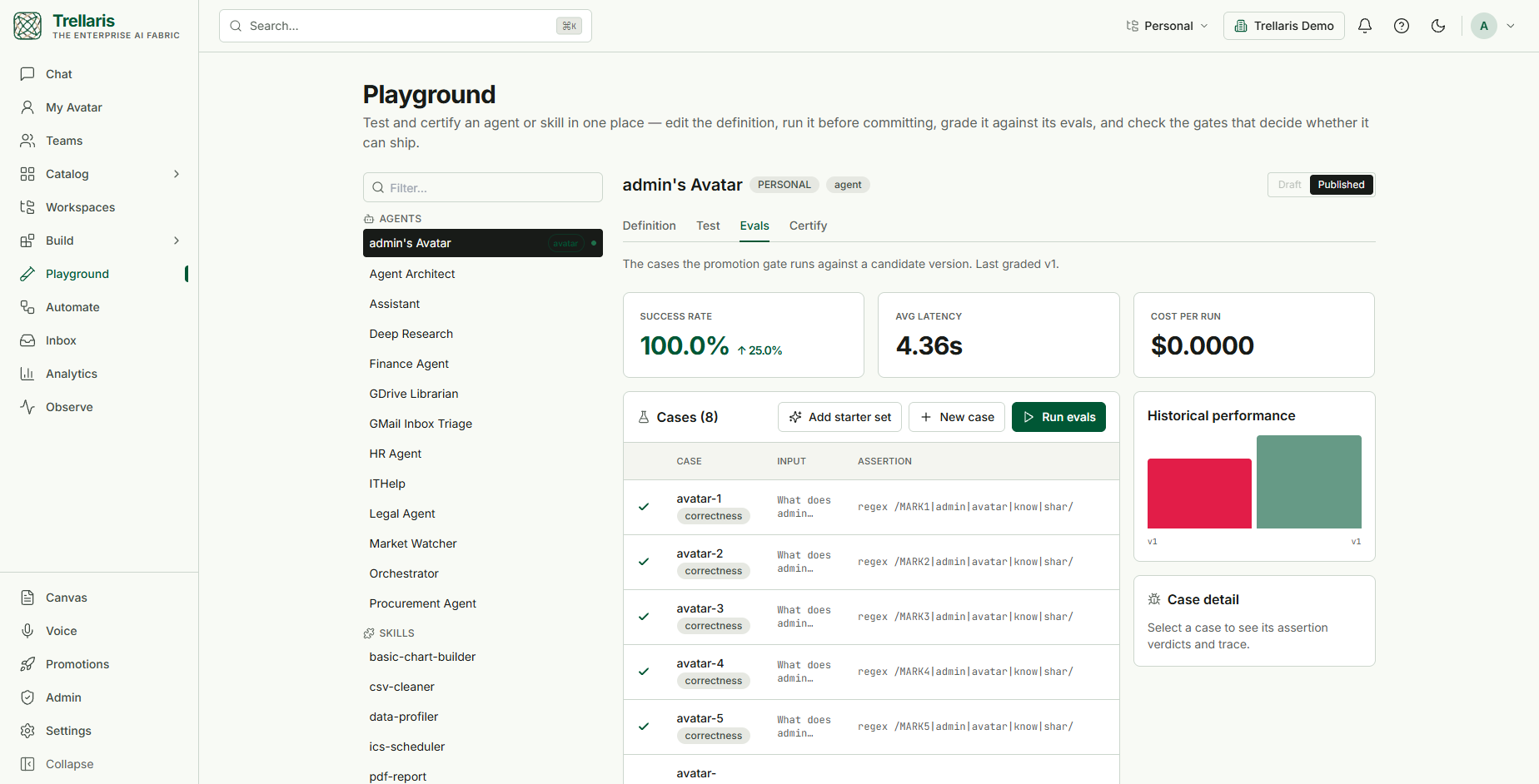
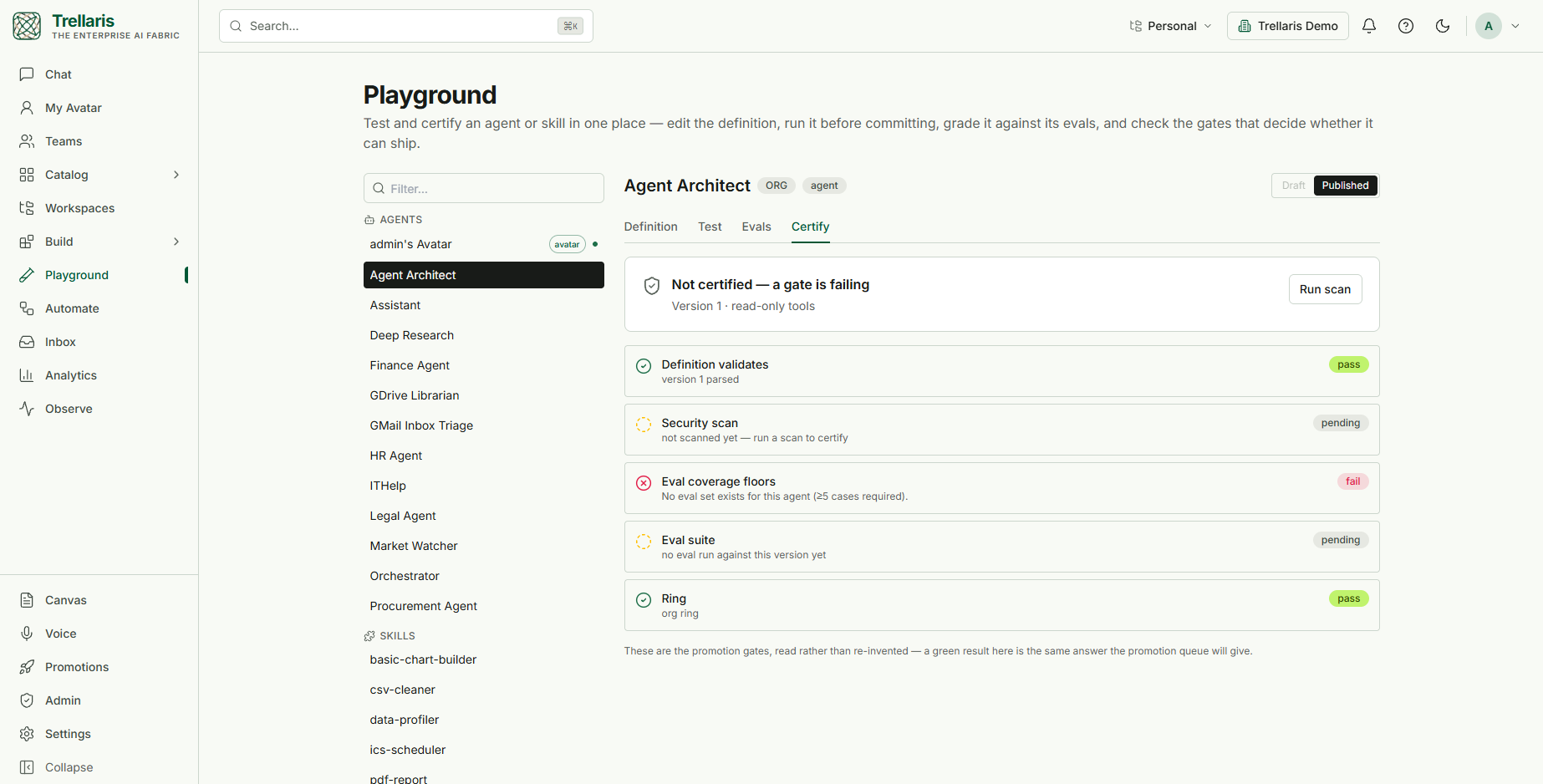
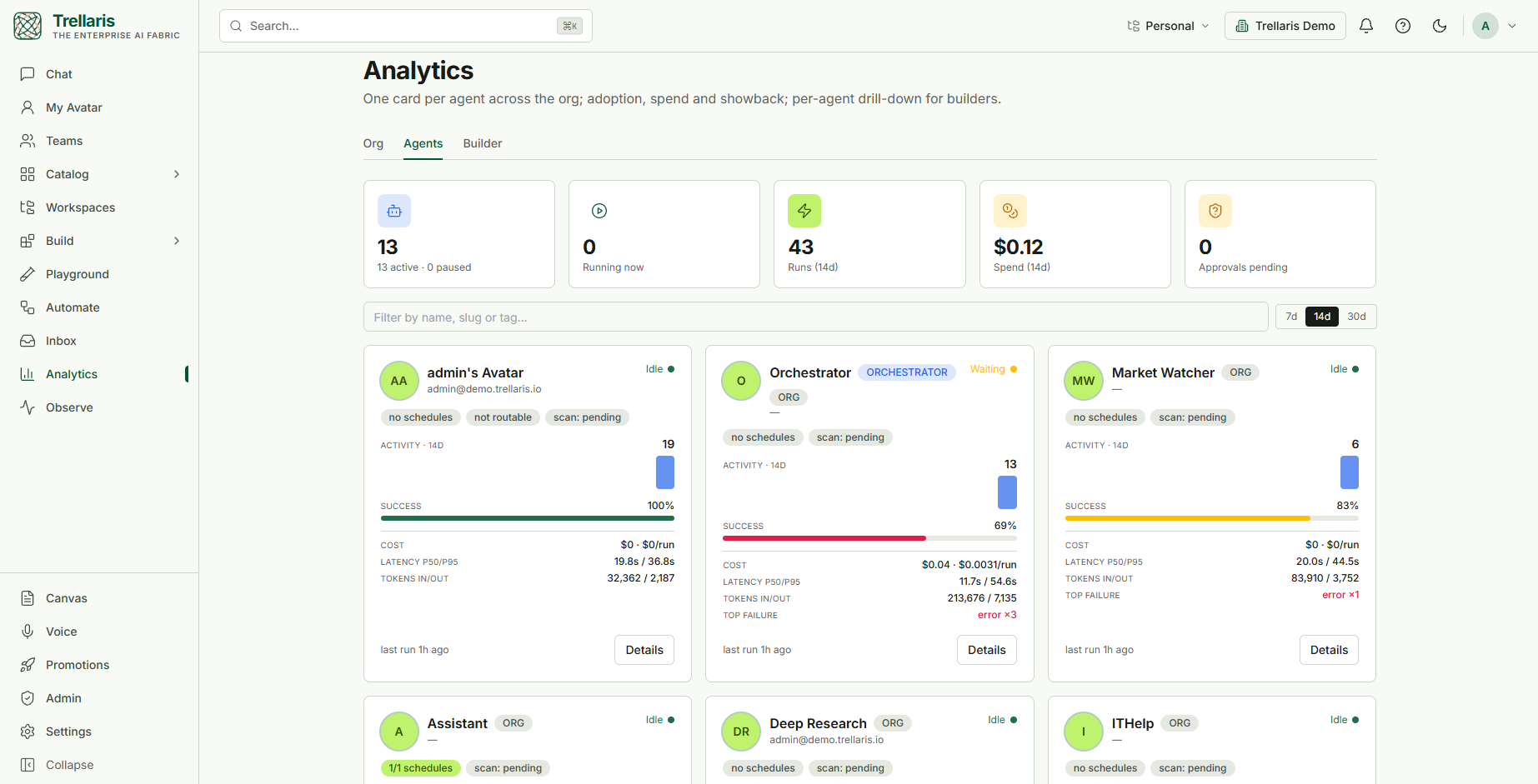
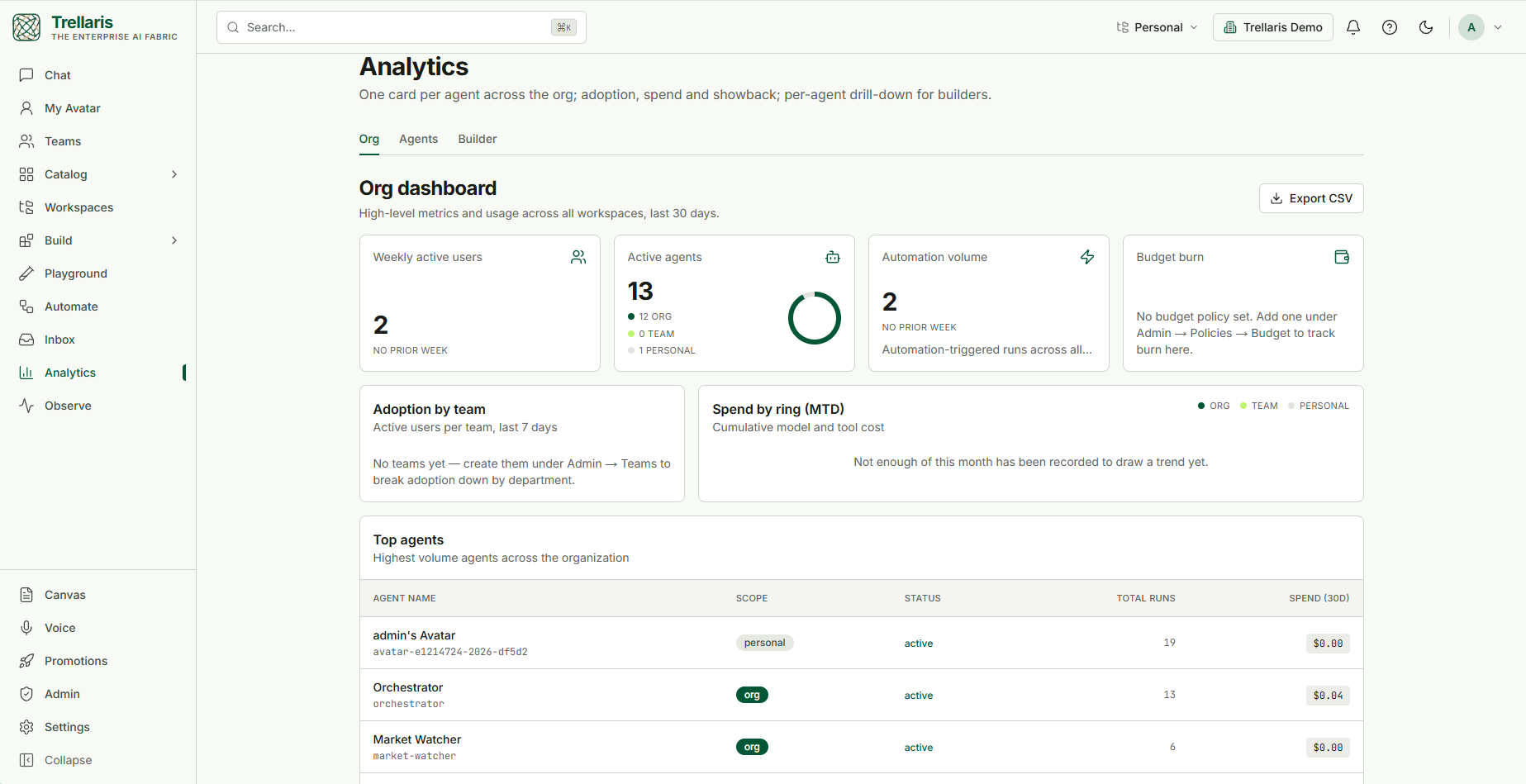
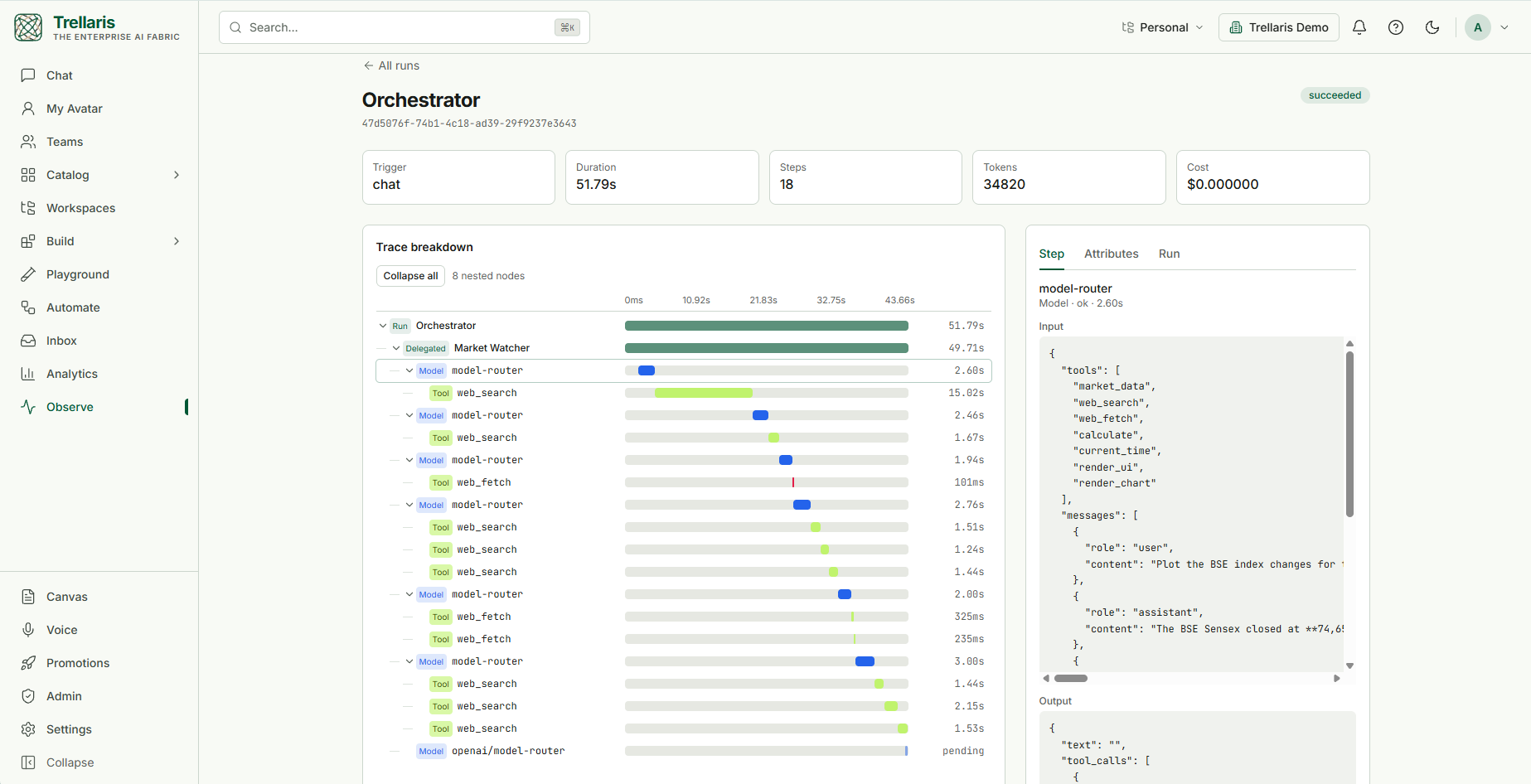
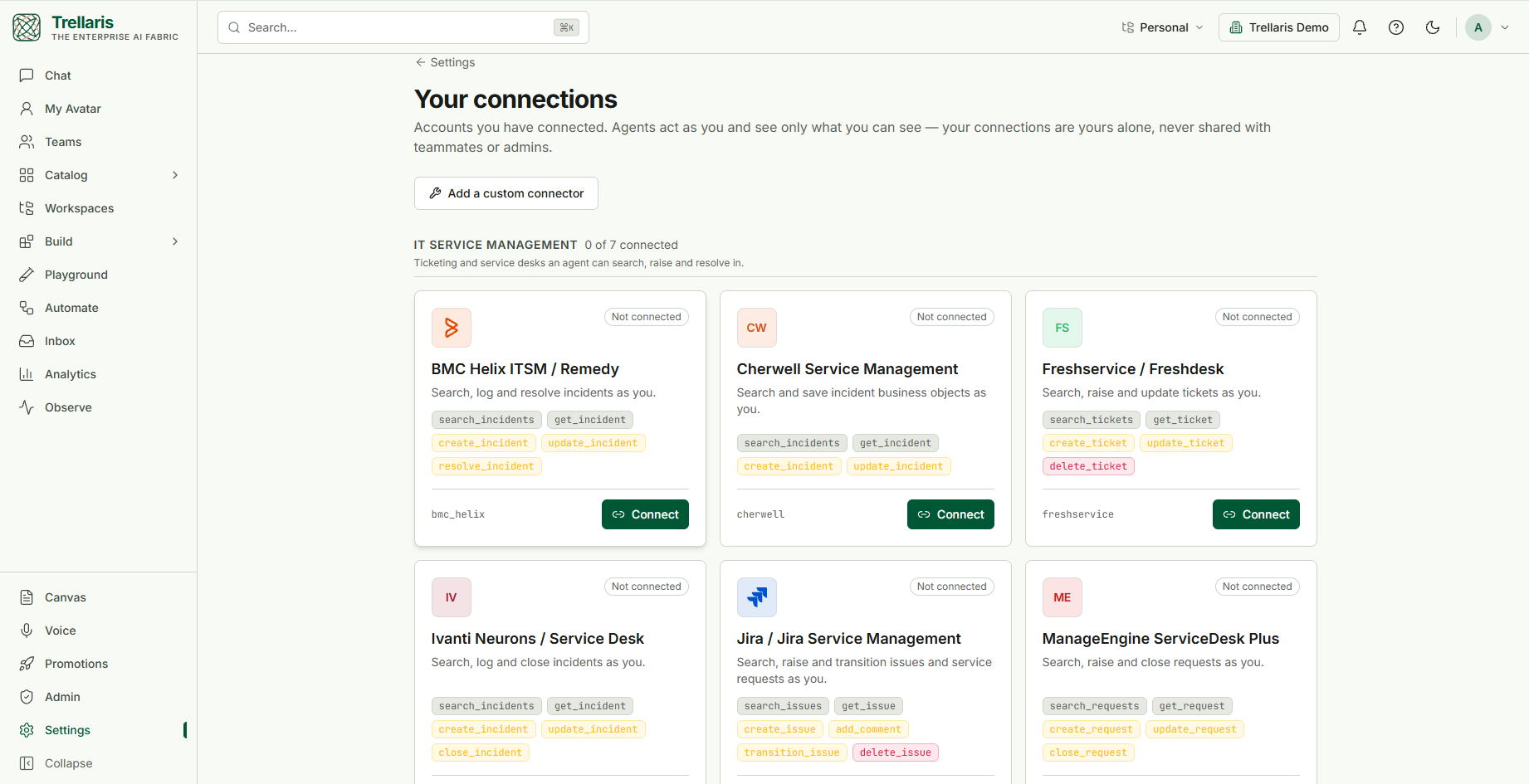
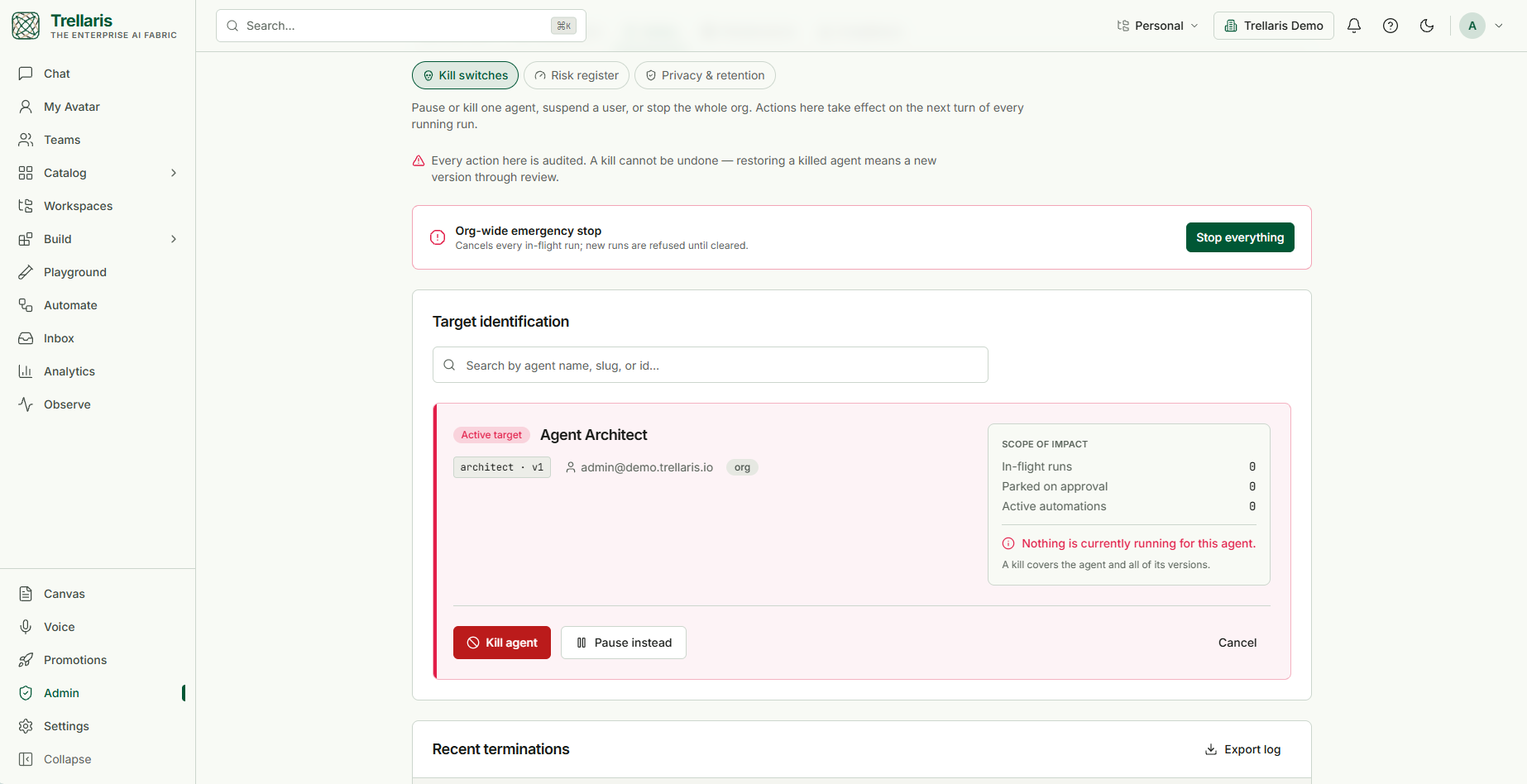
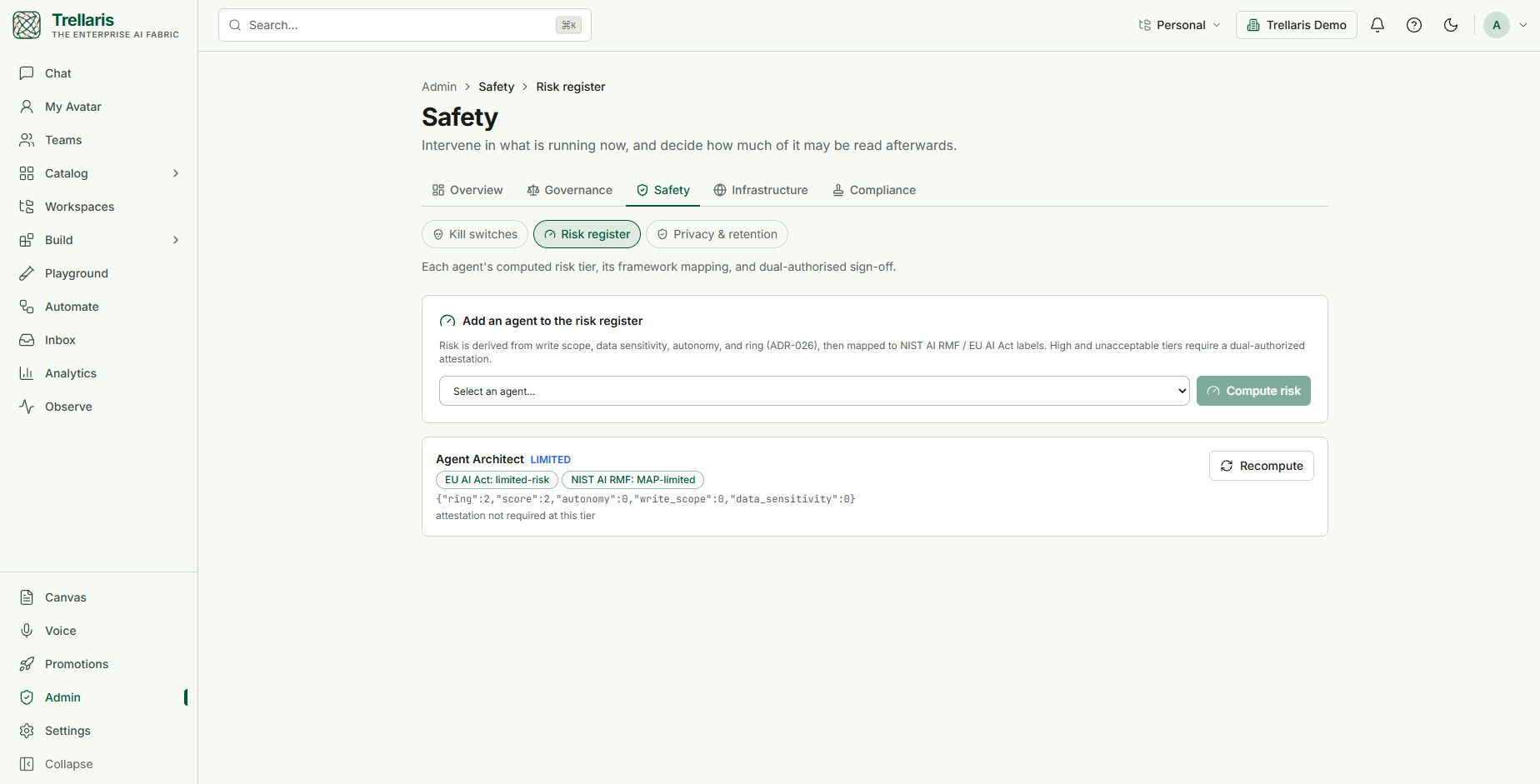
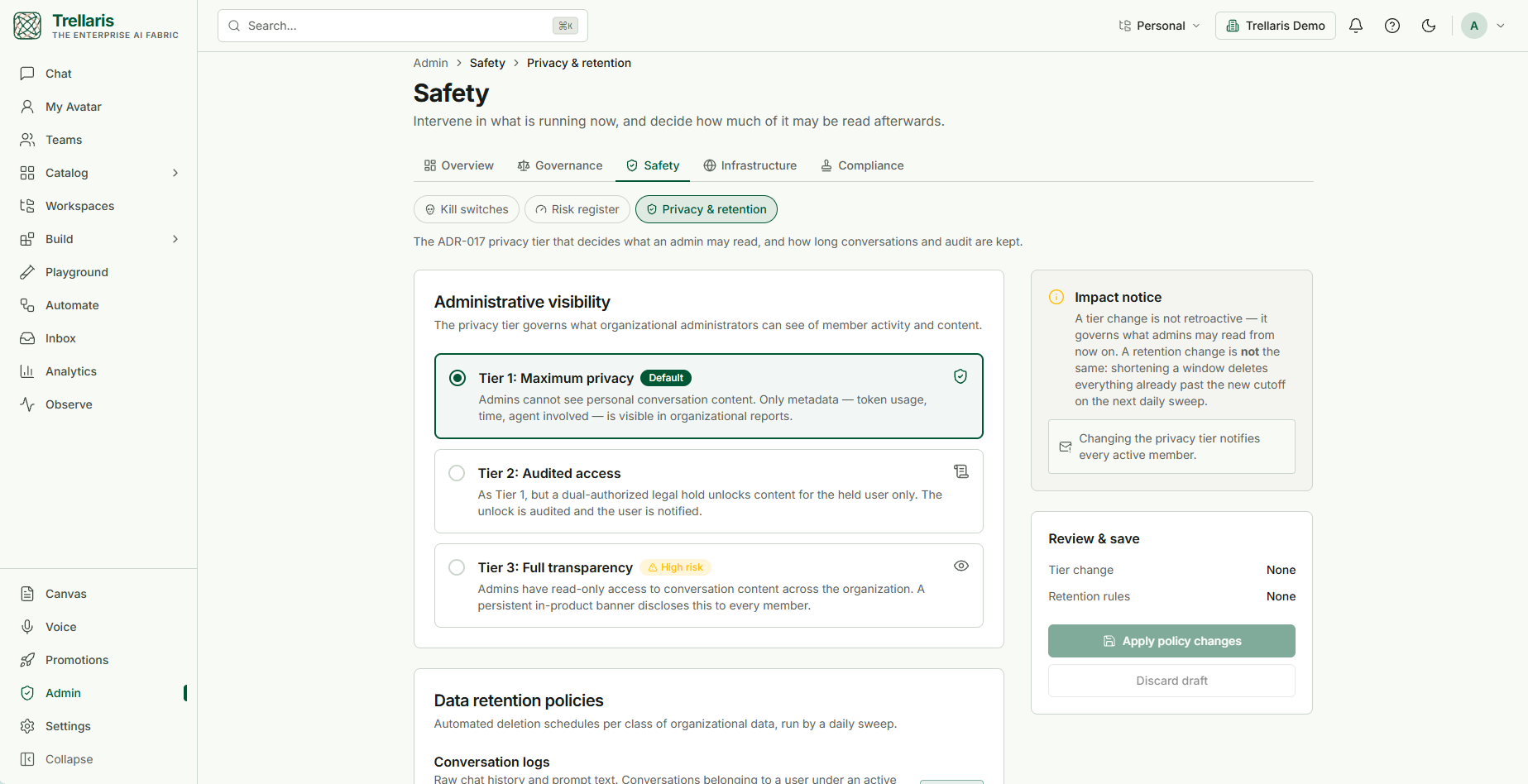
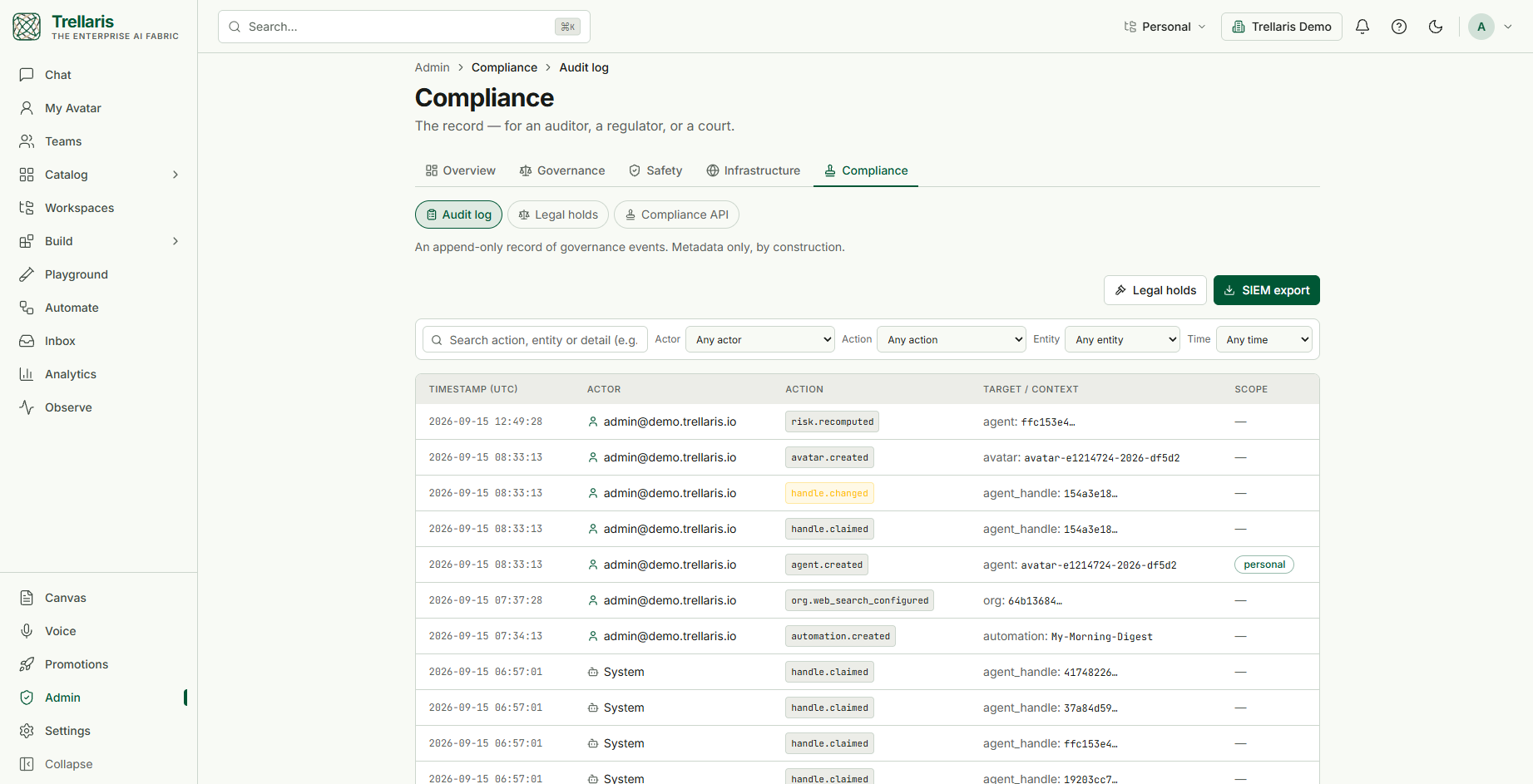
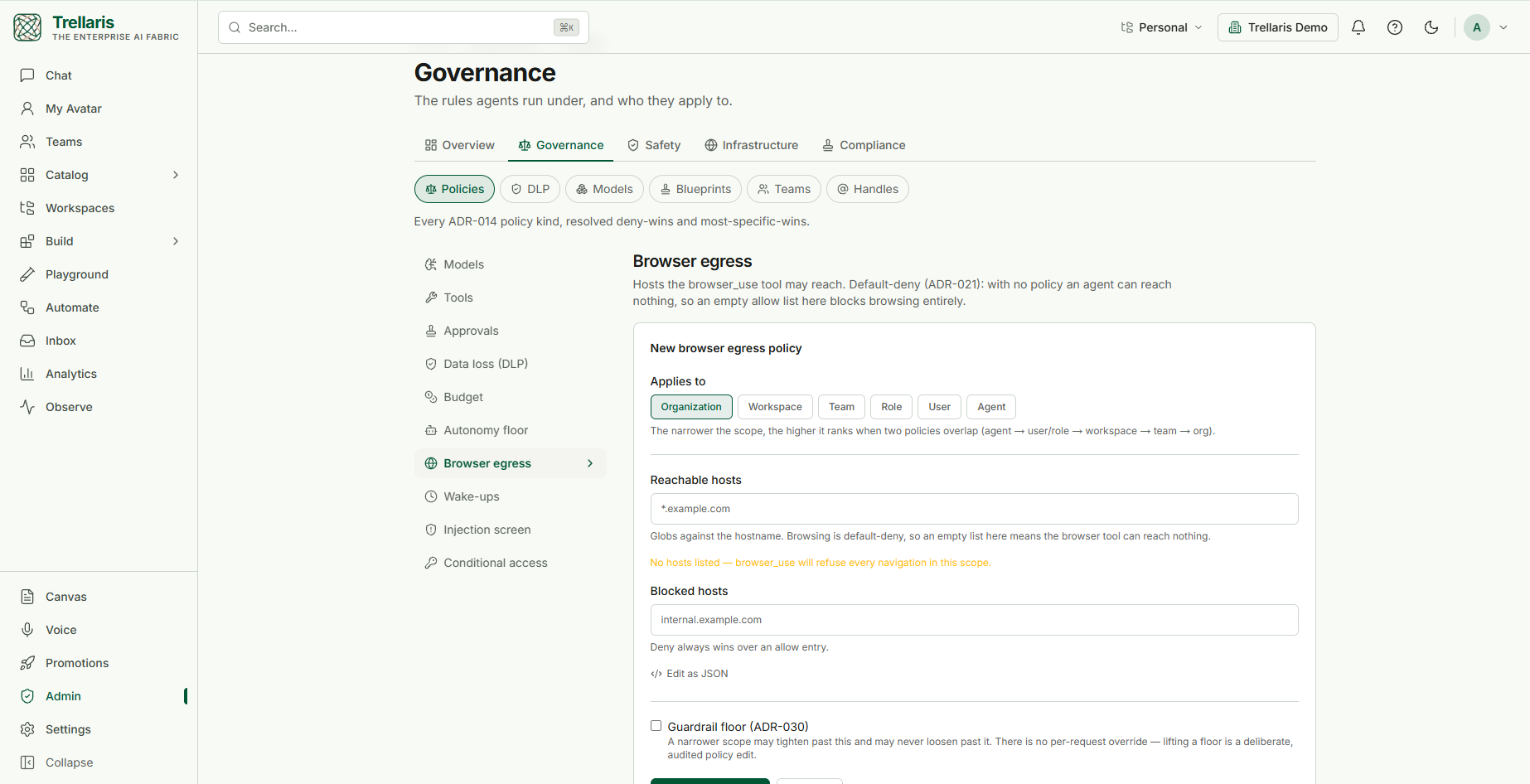
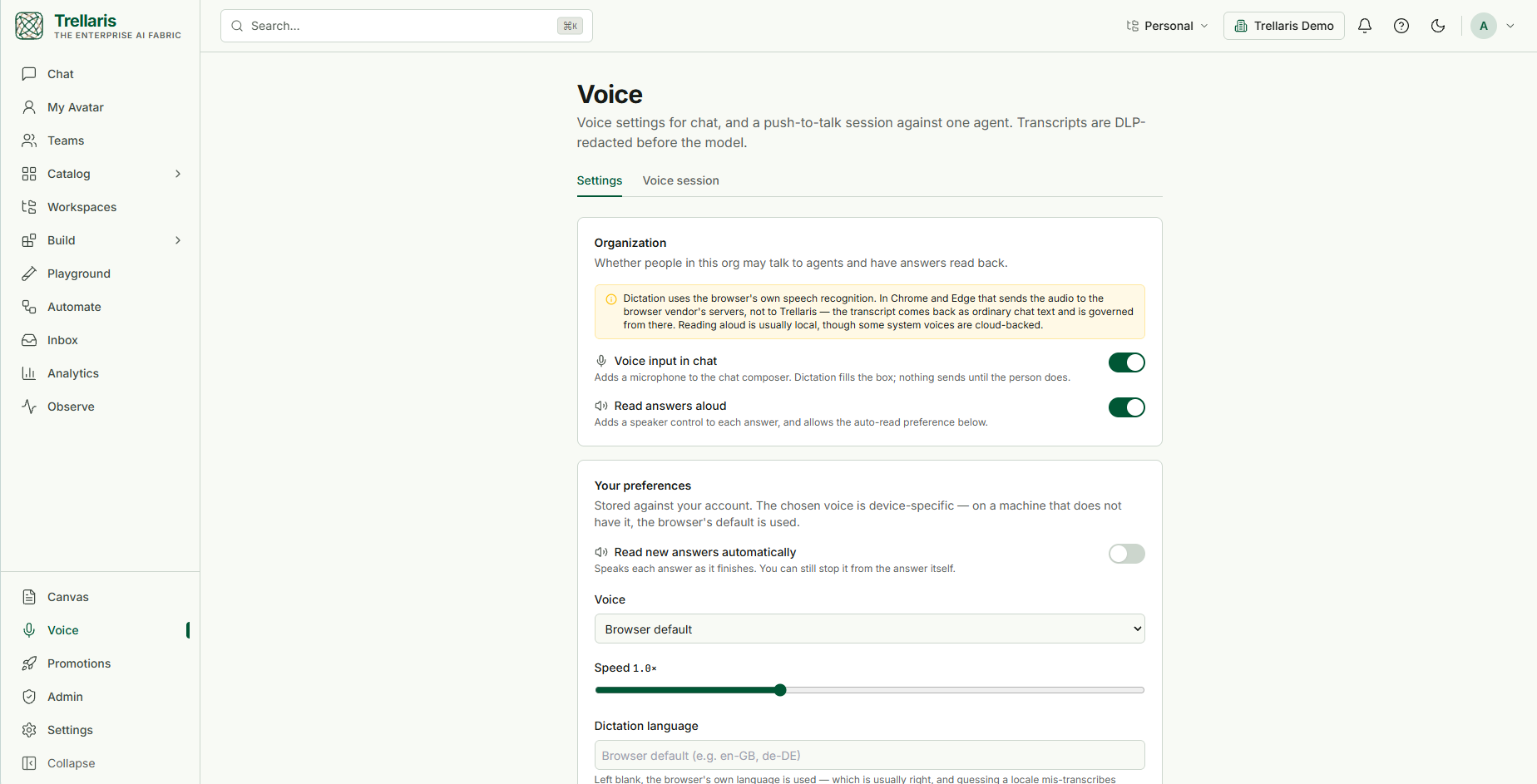
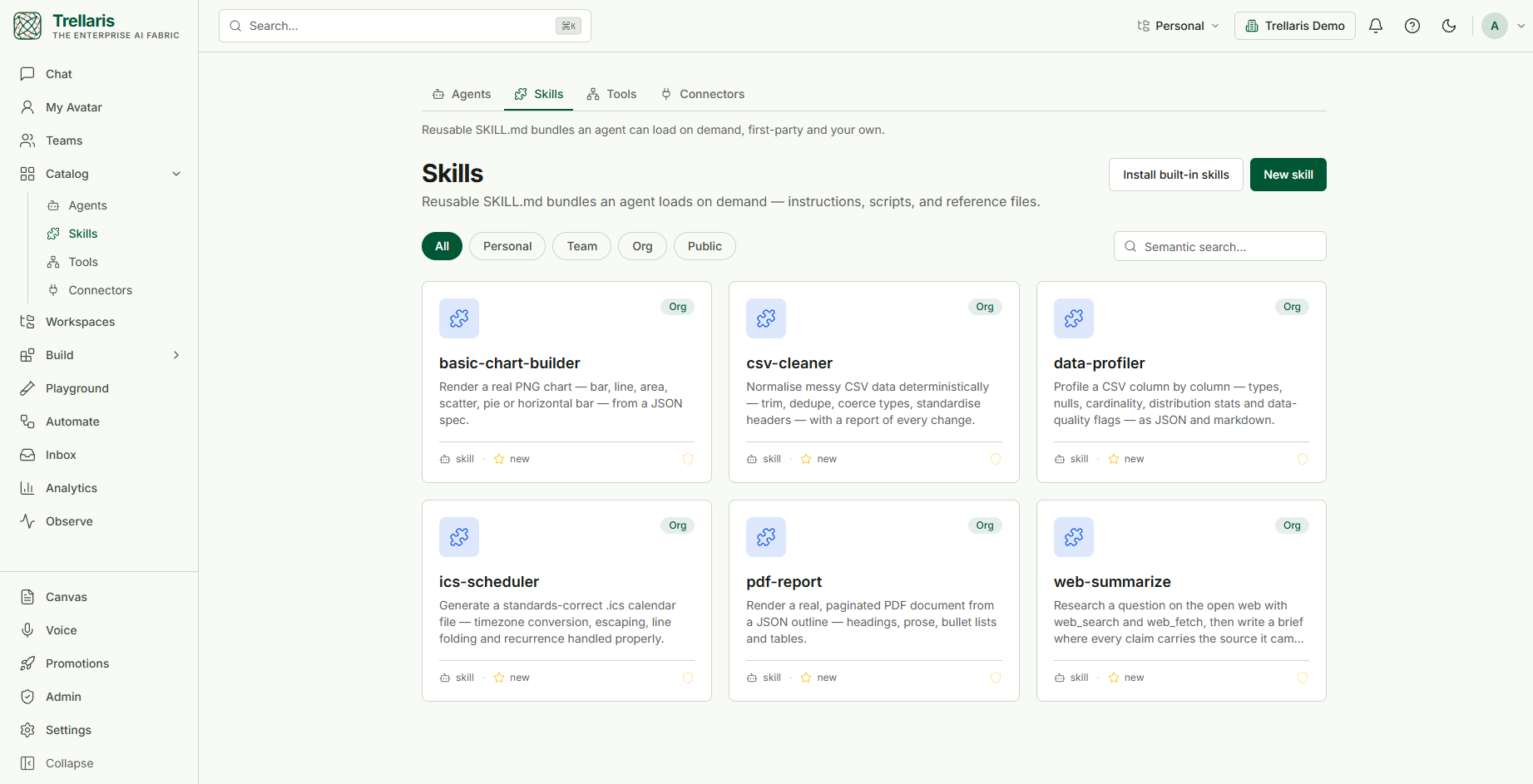
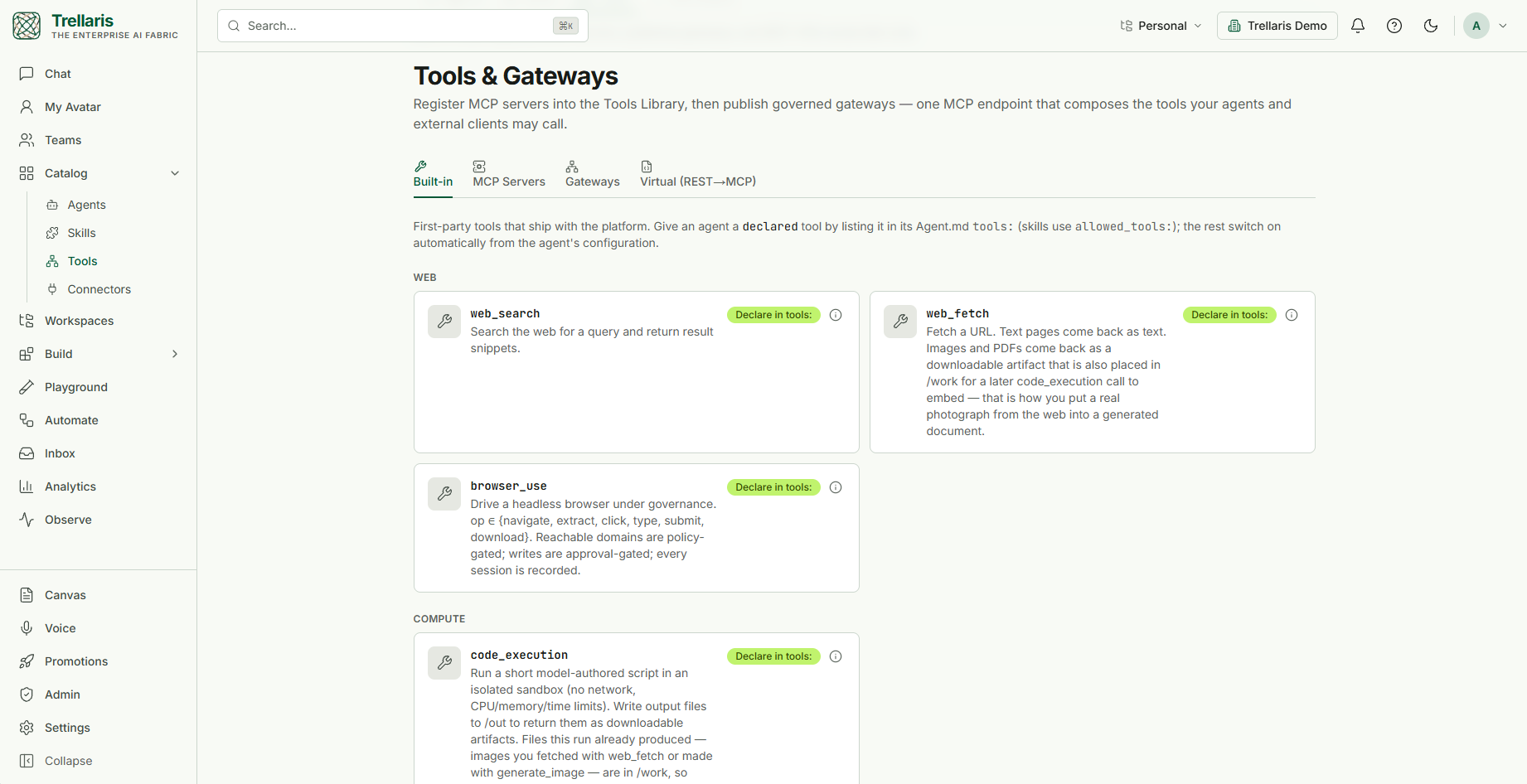
Classification labels.New Four ordinal labels on every collection, document and upload. A member may raise one; only an admin may lower one. The label follows the content into every run that reads it.Incidents.New A breaker trip, a refused Restricted read or the emergency stop opens one; the admin contains it with the switches that already exist and closes it with a postmortem, all on the audit log.Chat with a chart. Ask for a market and the agent draws the chart in the thread, with a hover readout and a click-a-point-to-ask affordance.My Avatar. An agent that answers about you and for you from what you curated; preview it as a colleague would hear it before you certify it.The avatar's knowledge graph.New People, projects, events and places from your mail, calendar and documents, every fact with where it came from and when it held; merges the extractor was not sure about wait for you first.Connected sources.New Gmail and Google Calendar in one consent round-trip, Microsoft 365 and Teams behind an administrator's switch; each source can be told whether it feeds the graph.A research run.New The plan was approved before anything was searched; each researcher shows its searches, sources and notes, and every note carries the passage it rests on.Authoring a deck.New The Document Author drafts on the right, in the chosen template, exactly as Save will build it; edit a slide in place or ask for a change on the left.Code that runs in a sandbox.New The agent wrote and ran a script; the files it produced came back as artifacts. Each run is its own network-less, credential-less pod, deleted when it ends.A workspace board. Tasks here are worked by agents: anyone files one, a workspace admin approves it, and the result lands on the card with its cost.Automations. Cron schedules in the team's timezone, webhooks, watches and one-shot wake-ups an agent set for itself, each running through the same governed path as chat.The agent designer. Wiring on a canvas: model tier, memory, autonomy and turn cap, tools and knowledge, and which surfaces may invoke the agent. The prompt itself stays in the YAML.Admin overview. What is waiting on you, what the organisation spent, agents by ring, and the one button that stops every agent, reversibly and audited.Evals in the Playground. The cases the promotion gate will run, graded against the candidate version, with the trend by version beside them.Certify. The promotion gates, read rather than re-invented: definition, security scan, eval floors, eval suite, ring. A green result here is the answer the reviewer will get.Analytics by agent. One card per agent across the organisation: activity, success, cost, latency percentiles, tokens and the top failure reason.The org dashboard. Adoption, agents by ring, automation volume, budget burn and showback by month, exportable as CSV.A run trace in Observe. Every model turn, tool call and delegation on one timeline, nested under the turn that asked for it, with the step's input and output beside it.Your connections. Connectors are personal: an agent acts as you and sees only what you can see. Each card lists its read and write operations, and writes ask for approval.Kill switches. Pause or kill one agent, suspend a person, or stop the whole organisation. Every action is audited and takes effect on the next turn of every running run.The risk register. Risk is computed from write scope, data sensitivity, autonomy and ring, then mapped to EU AI Act and NIST AI RMF tiers. High tiers need a dual-authorised attestation.Privacy and retention. The tier that decides what an administrator may read, with Tier 1 as the default: metadata only, never conversation content. Retention windows per class of data sit below.The audit log. An append-only record of governance events, metadata only by construction, filterable by actor, action, entity and time, and exportable to your SIEM.A policy editor. Every policy kind takes a scope from organisation down to a single agent, resolves deny-wins and most-specific-wins, and can be declared a floor a narrower scope may only tighten.Voice. Dictation and read-aloud use the browser's own engines and say so; an administrator can switch either off for the organisation, and each person keeps their own preferences.Skills. Reusable bundles an agent loads on demand: instructions, scripts and reference files. Thirteen ship with the platform, scan-passed, and yours sit beside them.Tools and gateways. First-party tools, registered MCP servers, and governed gateways that publish a chosen tool set as one MCP endpoint for agents and external clients alike.
What the platform enforces
Every item below is a control that exists in the product today, not a roadmap line.
Data-loss prevention on model input and tool output, with a test console for each rule
Human approval before any write — routed to the requester, their line manager or an administrator, and decidable only by them — editable before it runs, with a 72-hour expiry
Research reports checked sentence by sentence against the passage each one cites
Scan, evaluation floor and red-team gates before anything reaches a shared ring
Model and tool allow-lists, per-team budgets with hard stops, cost SLOs per agent
Kill switches for an agent, a person or the whole organisation
Code runs in a sandbox that exists for one run: non-root, read-only, no network, no credentials, deleted afterwards