The avatar knowledge graph
Your avatar now answers from a personal knowledge graph: the people you work with, the projects, events, places, topics, preferences and goals in your world, extracted from sources you connected — your mail, your calendar, the documents you gave it — with every fact carrying where it came from and when it was true. Ask "who was I working with on Phase 25 in July?" and the avatar answers with the person, the window and the source. A colleague asking the same question gets the same answer from the same graph — and never opens your mailbox.
What a person sees
You, the owner, in chat with your avatar or the default assistant:
who was I working with on Phase 25 launch in July?
what do I know about Priya?
which events did I attend in the Pune office this quarter?
The avatar's recall reads your memory pool and the graph,
and answers with facts like Ayesha Rahman works on Phase 25 launch (Jul 2026
to Sep 2026; from calendar, seen 12 Sep 2026). The window comes from the
calendar entry; the provenance is the source it was extracted from.
A colleague, asking your promoted avatar:
@priya.nair who is on the Phase 25 launch with you?
They get the org-visible facts only. A private node — a person, a project, a thread — is absent from what the model is shown, not merely told not to mention. The filtering happens before the prompt is assembled.
What it is built from
| Source | What becomes a fact | Starts as | Status |
|---|---|---|---|
| Your profile | Current projects, team members, reporting line, interests, goals, organisation, location — each a node off your own | The field's visibility | Live |
| Documents in the avatar's collections | People, projects, events, topics the text states | Org (the collection is the avatar's) | Live |
| Gmail | One document per thread newer than the lookback; who wrote to whom about what | Private | Live |
| Google Calendar | One document per occurrence: attendees, organiser, place, window | Private | Live |
| Outlook (mail + calendar) | As Gmail and Calendar, over Microsoft Graph | Private | Built, gated on an Entra app |
| Microsoft Teams | Chats you are in: participants, topic, span, and your own messages only | Private | Built, gated on an Entra app |
How it is built
-
Sync, under your own sign-in
A personal source is an ordinary knowledge source on one of the avatar's collections — the same worker, schedule, delta detection and disconnect as Confluence or Drive. Each thread, event or chat is one private document, readable by you alone. -
Extract into a fixed vocabulary
Each new document gets one lite-tier model call, after the organisation's DLP. The model must speak the ontology below; anything off it is dropped and counted, never coerced into a kind nobody chose. Unchanged content is never re-extracted, and a daily cap defers rather than fails. -
Resolve people and things — carefully
An email address or the owner is an identity and merges at once. A name that merely looks like an existing node gets its own node and a merge proposal for you to decide. A fact the model was unsure about is a proposal too, and is not answered from until you approve it. -
Answer from the neighbourhood
When a question arrives, the entities it names are found by name and by meaning, the graph is expanded two hops around them, and the facts are ranked by directness, confidence, recency and whether their validity window covers the month you asked about. The top facts go to the model as compact triples with their window and provenance.
What you control
Review queue
Merge proposals and low-confidence facts wait for you. Approve, or reject — a rejected pair is never proposed again.
Visibility, per fact
Every node and every fact is private or org. Flip a node and its facts flip with it; the owner's own node is always visible and never forgotten.
Forget
Forget one fact, one node, or a whole source. Disconnecting a source removes every fact only it supported and every node left with nothing.
The org switch
An administrator can switch the graph off for the organisation. The tab, the API and the avatar's graph reads go together.
The ontology
Nine node kinds and ten edge kinds, fixed on purpose. Open-ended extraction produces a mess of near-duplicate kinds nobody can browse; a bounded set keeps the graph legible and the review queue small.
| Nodes | Edges (subject → object) |
|---|---|
person, organization, project, event, place, topic, document, preference, goal |
knows (person → person) · works_on (person → project) · attended (person → event) · member_of (person → organization) · located_in (person / event / organization → place) · interested_in (person → topic) · prefers (person → preference) · pursues (person → goal) · about (document / event / project → topic / project / person) · mentioned_in (anything → document / event) |
Every edge is one observation: a triple plus the source it came from,
when it was seen, and when it held (valid_from / valid_to).
Two sources that both saw the same fact are two observations, which is what
lets a source be forgotten exactly.
Where it shows up
Chat
Your avatar's recall reads the graph beside its memory pool, and the first message of every run gets the graph's answer as context. No new tool for anyone to learn.
My Avatar → Graph
A Graph tab with the review queue, a lookup box, an entity browser by kind and a node view of every fact with its provenance — and a Connected sources card on the Knowledge tab with a "Feeds the graph" switch per source.
API
/me/avatar/graph: overview, nodes, facts, proposals, sources, the extraction ledger. Owner-only by construction — another user's node id is simply not found.
See it
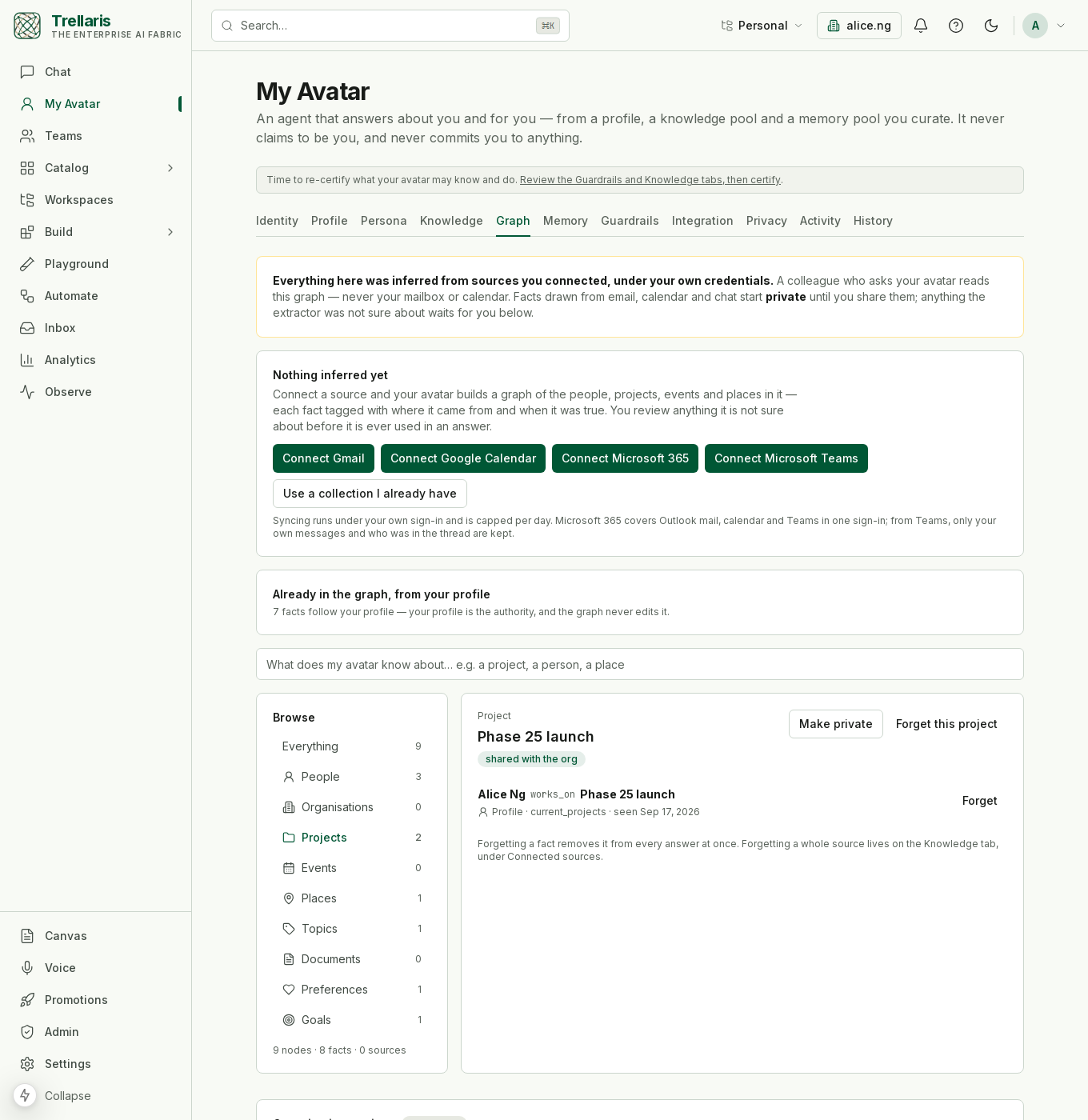
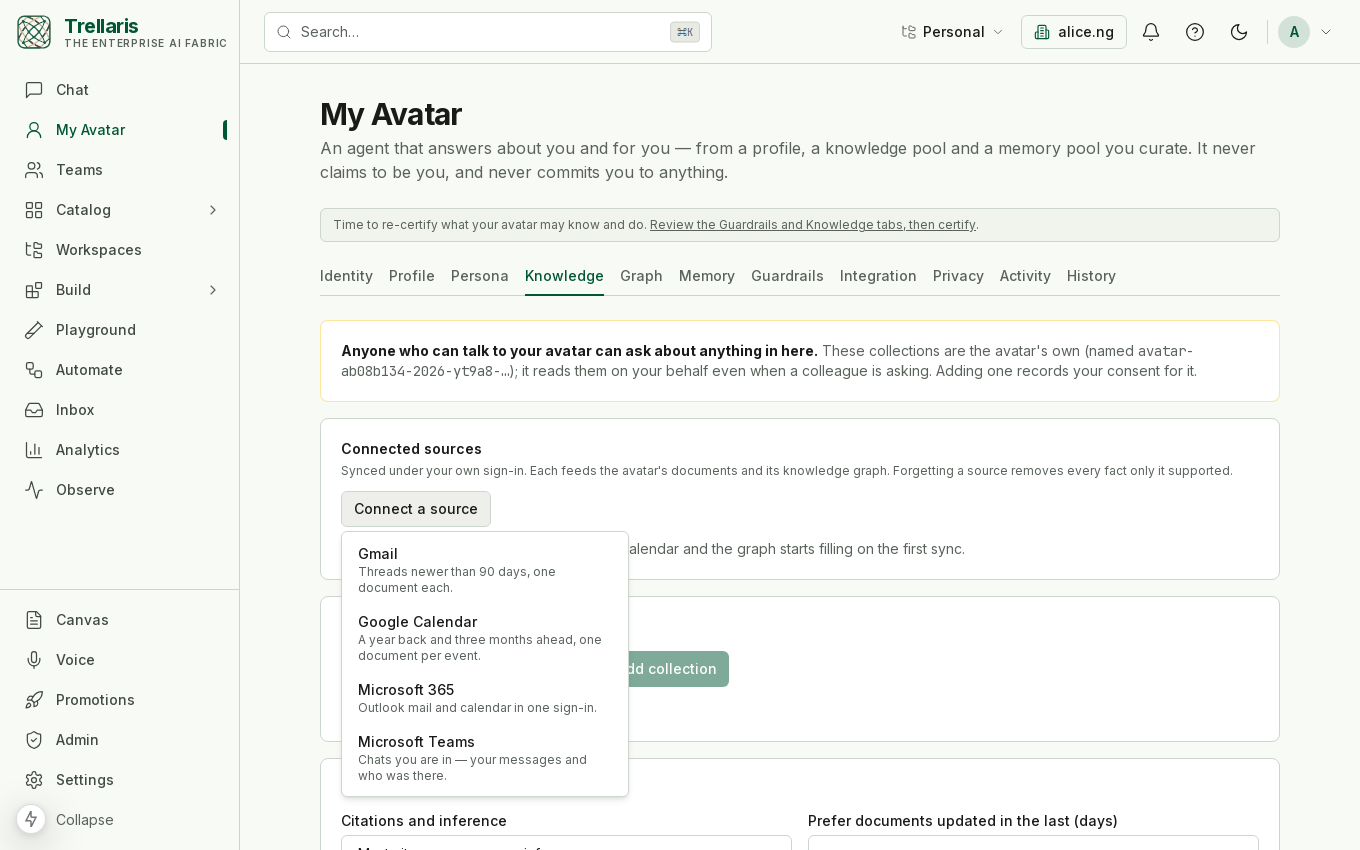
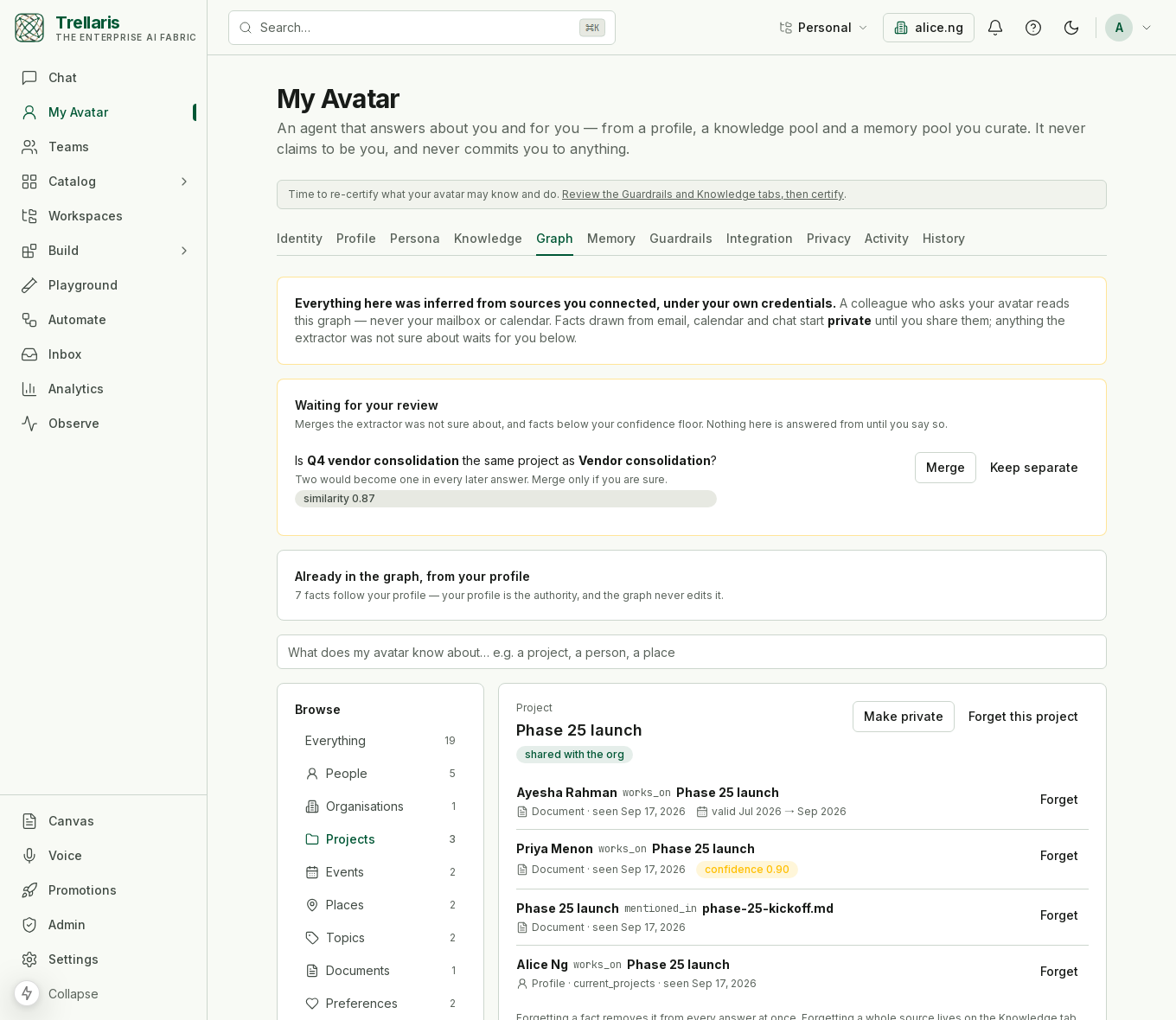
Connecting your mail and calendar
On My Avatar → Knowledge, the Connected sources card's Connect a source menu offers Gmail and Google Calendar (and, once an Entra app registration exists, Microsoft 365 and Teams). If you have not granted that Google sign-in yet, the ordinary consent round-trip runs and brings you back here; the source is created on one of your avatar's collections and the first sync starts. The same buttons sit on the Graph tab while it is empty. Outlook and Teams are built and wait for an Entra app registration; the runbook has the permissions and the switch. See Knowledge & memory for how sources sync, and My Avatar for everything else your avatar does.