Data classification
Every document, upload, memory and generated file in Trellaris carries one of four labels. The label follows the content into every run that reads it, and decides how far that run's output may travel: freely, after a person approves, or not at all. It is the one control that can say this board paper must not leave the building even when nothing in it matches a DLP pattern.
The four labels
| Label | Means | With the default perimeter |
|---|---|---|
| Public | May leave the platform freely. | No effect on any channel. |
| Internal | The organisation's own data. The default for everything that is uploaded, synced or written. | No effect. Everything that existed before labels carries this, so nothing that worked before changes. |
| Confidential | Read it and the run must be careful on the way out. | A web search, browser action, remote-agent call or external MCP call waits for approval, exactly as a connector write does. |
| Restricted | Never leaves the platform. | Those same four channels are refused, with a typed error the agent relays. A restricted read a model provider may not see is withheld before the call. |
The labels are ordinal: a run's label can only go up, and the rule for who may change a label is the same everywhere. Anyone who may write a collection may raise a label. Only an organisation admin may lower one. The picker shows the levels you may not choose as disabled rather than hiding them, so the rule is visible where it applies.
Where you set a label
A collection
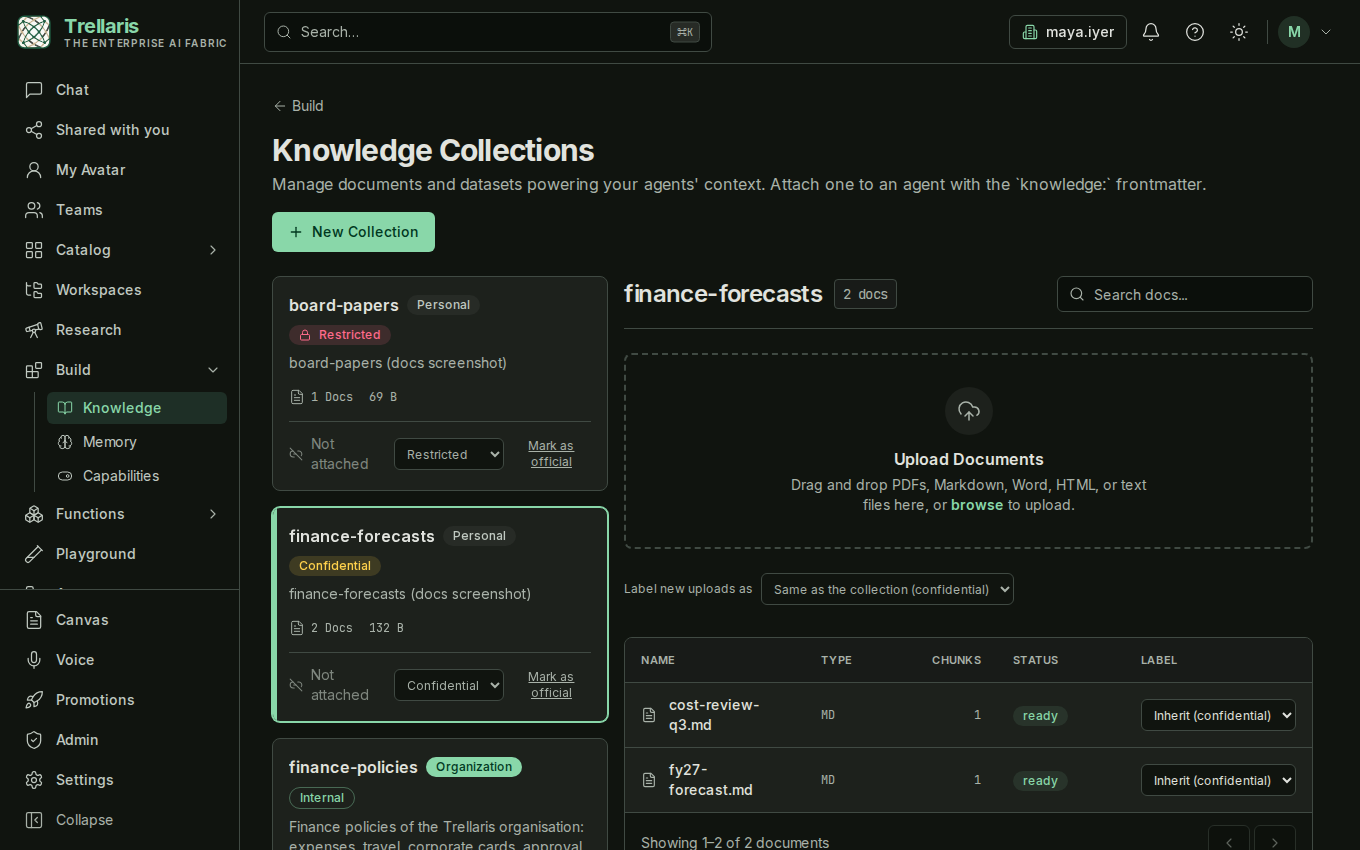
Every collection card on Build → Knowledge shows its label with a picker beside it. The collection's label is the default for every document in it.
A document
The documents table has a Label column. A document inherits its collection's label (shown greyed) until you give it one of its own; an override can only be higher.
New uploads
Label new uploads as sits above the documents table. Each file you drop is stamped with it. Leave it alone and uploads are Internal.
A chat attachment
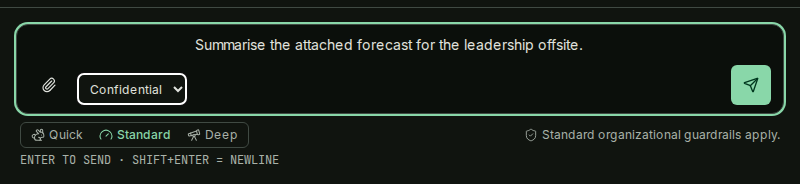
A small label select sits beside the paperclip in the composer. A file attached to a conversation carries the label you picked, and the run that reads it inherits it.
Synced sources
Google Drive and Microsoft 365 sensitivity labels arrive with synced documents through a map the admin keeps. A label the map does not know lands as Confidential, and the source shows a warning until it is mapped.
What a run writes
A memory, a workspace note or a generated document written by a run that read Confidential material is itself Confidential. Labels are never guessed from content.
What a label does
-
A run reads labelled content
A knowledge chunk, a memory, an attachment, a connector record. The run's taint rises to that label and never falls back. A child run the agent delegates to starts at its parent's taint; the parent ends at the highest of its children. -
The run tries to send text out
Before any outbound tool call, the data perimeter compares the run's taint with the rule for that channel: web, browser, remote agent, external MCP server, connector write or email. -
The perimeter decides
Below the channel's limit the call proceeds. Above it, the text is redacted, the call parks for approval (the approver follows the organisation's approval routing), or it is refused. A refusal on Restricted material also opens an incident. -
The trace records it
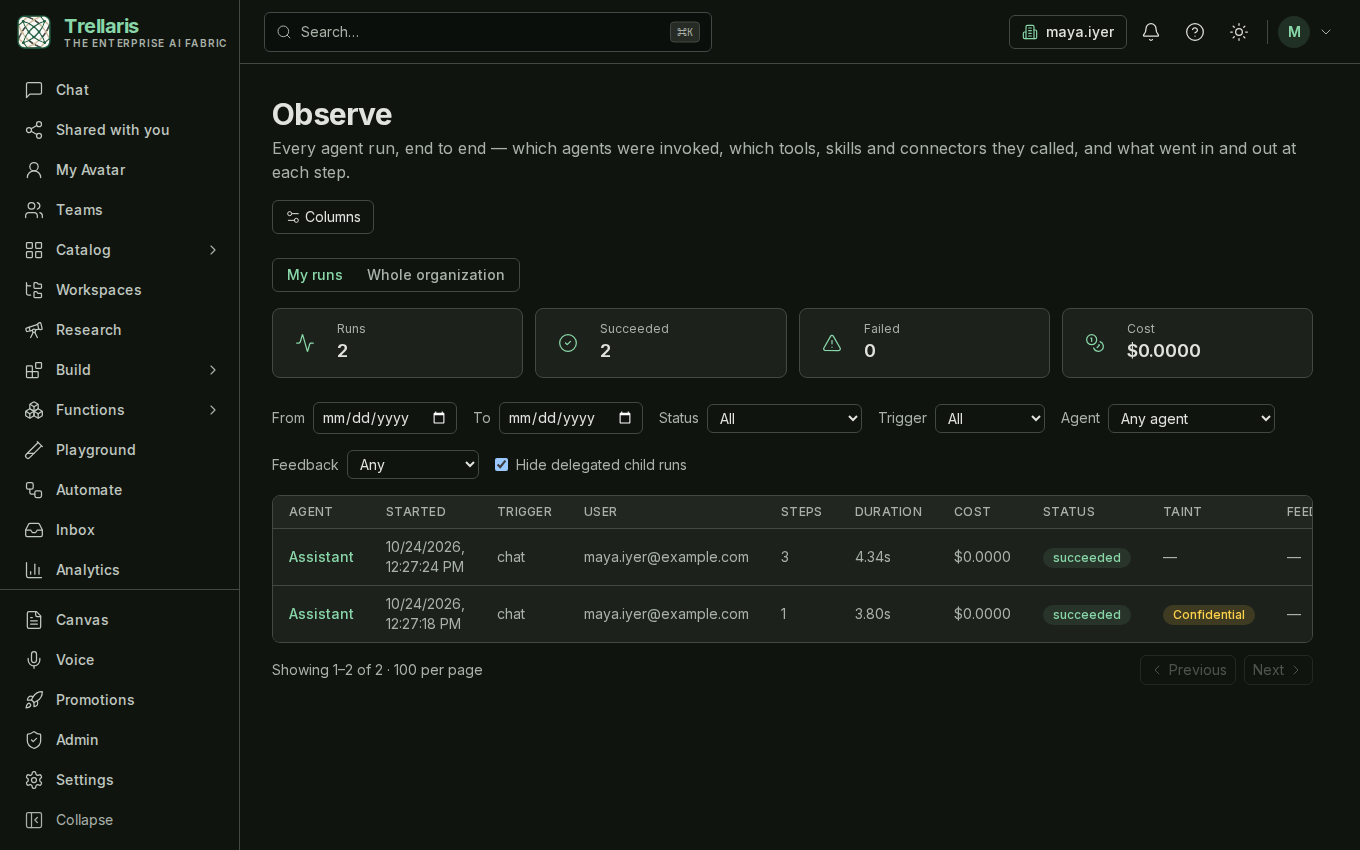
Observe shows the run's taint as a column and on the run page, so an auditor can see which runs touched Confidential material and what they did next.
What changes for you
| Member | Organisation admin | |
|---|---|---|
| Day one | Nothing visible beyond an Internal badge on your collections. Every default was chosen so existing behaviour is unchanged. | A default perimeter row and two notify-only breakers are already seeded. Admin → Safety gains Incidents and Breakers tabs. |
| Labels | Raise a label on a collection or document you may write, pick one for an upload or a chat attachment. You cannot lower one. | Raise or lower any label. Map Drive and Microsoft 365 sensitivity labels. Set the collection default a team inherits. |
| When an agent reads Confidential | Its next web, browser, remote-agent or external-MCP call parks for approval in your inbox (or your manager's, by policy). Internal data never parks. | Change what happens per channel in the Data perimeter policy; declare it a floor a team may tighten but not loosen. |
| When an agent reads Restricted | Those calls are refused and the agent tells you so. A provider that may not see Restricted material never receives it. | The refusal opens an incident with the channel and the taint, never the content. |
| Where to look | Observe shows the taint of your own runs. The agent page shows a banner if a breaker paused it. | Admin → Safety → Incidents for what happened and what was done; Observe org-wide for taint by run. |
What is deliberately not here
- Labels are recorded on what a person does with a labelled document, such as sharing a conversation or exporting a file, but not yet enforced there.
- No label is guessed from content. A suggestion from DLP hits is a planned follow-up; an automatic write is not.
- A label on an agent's definition. Labels live on data; an agent's reach is governed by its tools, autonomy and perimeter.