Operational containment
Every guardrail in Trellaris decides something about one run. Containment is what happens across runs: a classification on data that decides how far its content may travel, a breaker that pauses an agent that keeps misbehaving before anyone is at a keyboard, and an incident that ties a trigger to the actions taken and how it was closed. None of it adds a new stop: a breaker pauses through the same switch an admin would pull, and a quarantine is an ordinary floor policy with a tag.
At a glance
| Labels | public < internal < confidential < restricted — on collections, documents, uploads, memories, artifacts; the default is internal |
|---|---|
| Taint | The highest label a run has read. Written only by the run itself, never decreases, travels to delegated children, shown in Observe |
| Perimeter | A policy per outbound channel (web, browser, remote agents, external MCP, connector writes, email): above a label, redact, wait for approval or refuse. Provider limits withhold higher-labelled content before it reaches the model |
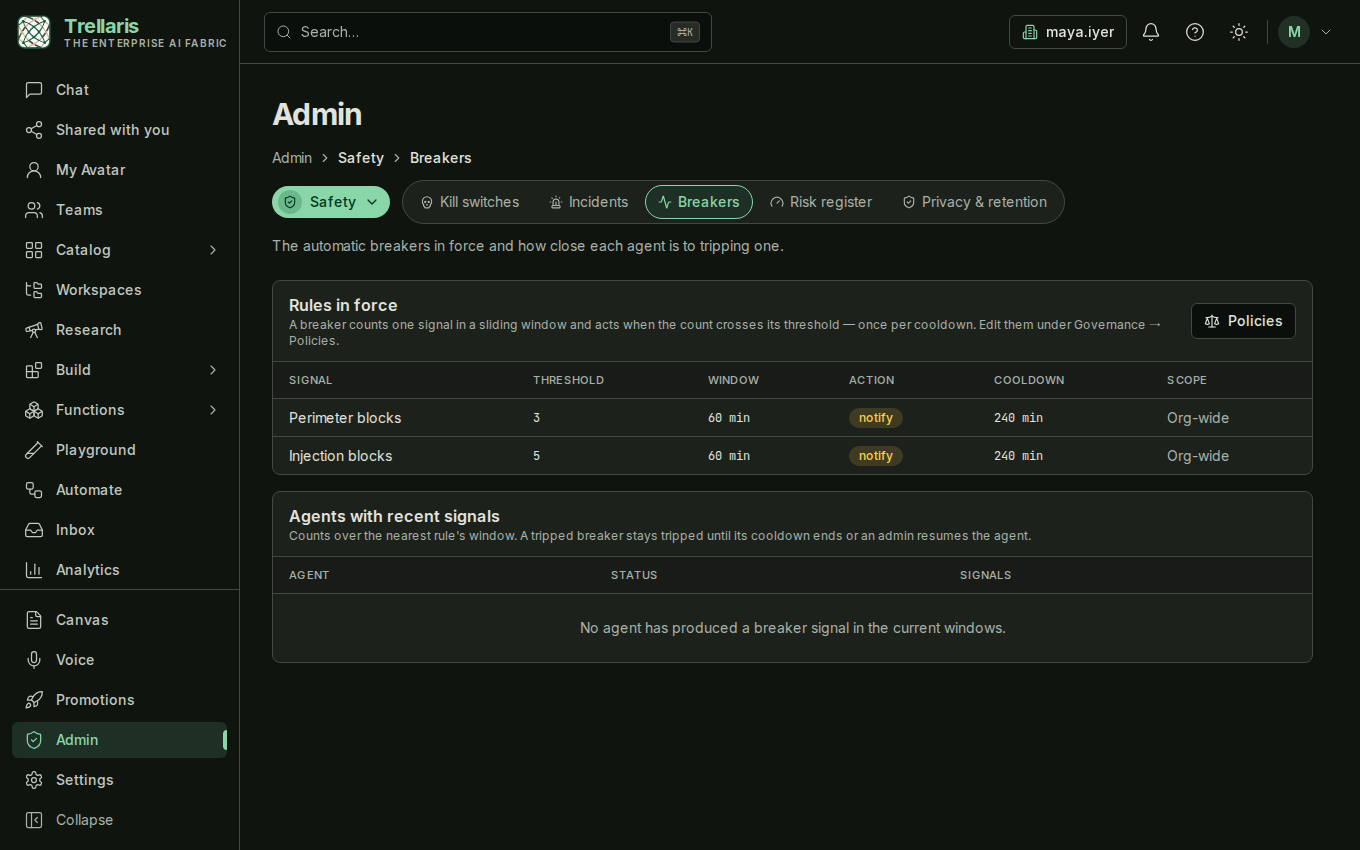
| Breakers | A signal, a window, a threshold, an action (notify or pause) and a cooldown. Two notify-only breakers are seeded per organisation |
| Incidents | Opened by a breaker trip, a refused restricted read, the emergency stop, or an admin. One open incident per agent and kind; later triggers append |
| Where | Admin → Safety → Incidents and Breakers; Admin → Governance → Policies for the Data perimeter and Breaker kinds; labels on Build → Knowledge and in the chat composer |
What changes for members and admins
On day one a member notices almost nothing, because every default was chosen
to leave existing behaviour unchanged. Admins gain two consoles and two policy
kinds. The change reaches members once someone labels data above
internal, or a breaker is switched from notify to
pause.
| As a member | As an organisation admin |
|---|---|
| Collections and documents show a label badge, defaulting to Internal. You may raise a label on anything you may write; lower levels are shown disabled. Uploads and chat attachments take a label too. | Admin → Safety gains Incidents and Breakers. Policies gains Data perimeter and Breaker. You alone may lower a label or map a source's sensitivity labels. |
| An agent that read Confidential material parks for approval before its next web, browser, remote-agent or external-MCP call. One that read Restricted material is refused there, and says so. | A refused Restricted read, a breaker trip and the emergency stop each open an incident with the trigger facts, never run content. One button per containment action; every transition is audited with the incident id. |
| An agent can be paused without a human doing it. The agent page shows Paused by a breaker and new runs are refused until an admin resumes it. The seeded breakers only notify. | The seeded perimeter row and two notify-only breakers are already in force. Labelling the collections that matter, or switching a breaker to pause, is what turns this on in practice. |
| Observe shows the taint of your runs: the highest label each one touched. Your 👎 on an answer counts toward that agent's breaker window. | Observe shows taint org-wide. Admin → Safety → Breakers shows how close each agent is to tripping. A breaker never pauses the Orchestrator. |
Classification: how far content may travel
The full account, including where to set a label and what each one does, is on Data classification; the policy itself is Data perimeter.
Three controls already decided who may read a document (ring visibility and
mirrored source permissions) and which patterns are redacted (DLP). A label is
the fourth, and the one the others could not express: a board paper with no
card number in it is still restricted. An org admin sets a collection's default;
anyone who may write the collection may raise a document's label above it, and
only an org admin may lower one. Google Drive and Microsoft 365 sensitivity
labels arrive with synced documents through a map the admin keeps; a label the
map does not know lands as confidential and the source shows a
warning until it is mapped.
When a run reads labelled content — a knowledge chunk, a memory, an attachment, a connector record — its taint rises to that label and stays there. A child run the agent delegates to starts at its parent's taint, and a parent ends at the highest of its children. What a tainted run writes (a memory, a workspace note, a generated document) carries the label with it.
The data perimeter
The Data perimeter policy says, per outbound channel, the highest taint a
run may carry and still use it freely, and what happens above that: the
outgoing text is redacted, the call waits for approval
exactly as a write to a connector does, or it is refused with a
typed error the agent relays to the person. Every organisation starts with one
row: restricted material is refused on the web, browser, remote-agent and
external-MCP channels, and confidential material waits for approval there.
Because everything that existed before carried internal, nothing
that worked before changes until someone labels something.
A provider limit is the other half: the highest label content may carry into a model call on a given provider. A chunk above it is withheld at the read and the agent is told some material could not be used — the run does not fail, and the content never moves.
Breakers: a stop nobody has to pull
A Breaker policy names a signal — injection blocks, DLP redactions,
perimeter blocks, tool errors, run failures, thumbs-down ratings, approval
denials, or dollars spent — a window, a threshold and an action. Signals are
counted per agent as runs happen; when the count crosses the threshold inside
the window the breaker trips once per cooldown. notify tells the
agent's author. pause stops new runs through the same kill switch
an admin uses (in-flight runs finish), notifies, and opens an incident. The
Orchestrator is never paused by a breaker — the org-wide emergency stop is the
brake for that — and an admin's resume re-arms the agent's breakers.
Admin → Safety → Breakers shows the rules in force and, for every agent with recent signals, how close it is to tripping. The signals, the floor operators and the defaults are on the Breaker policy page.
Incidents: the record of what was done
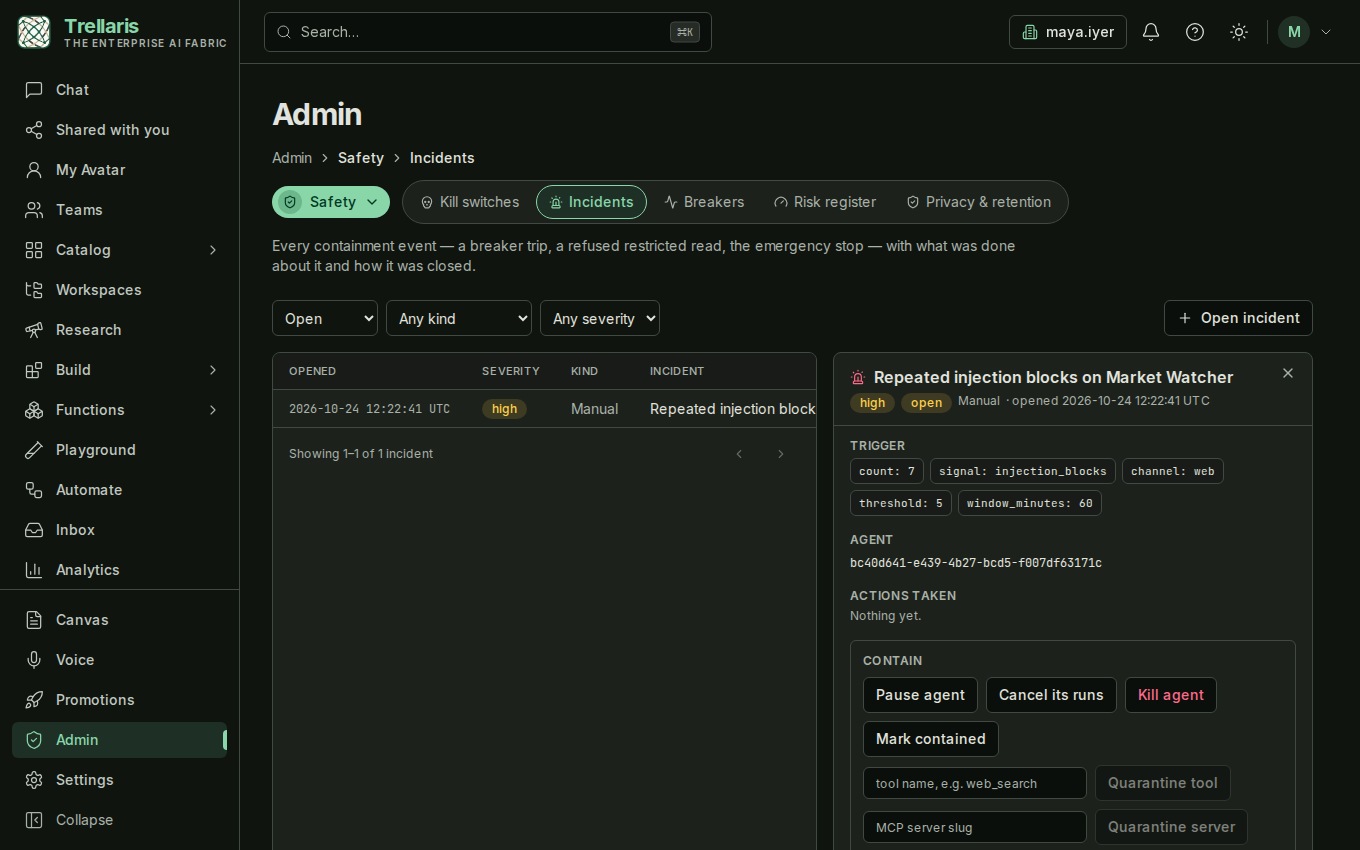
An incident records the trigger (a signal and its counts, a channel and a taint — never run content), the runs it touched, every action taken and the close-out. Admin → Safety → Incidents lists them and offers one button per containment action: pause or kill the agent, cancel its runs, disable a connector, or quarantine a tool or MCP server. A quarantine is an org-wide floor deny tagged with the incident; active runs whose trace used the tool are cancelled, and the row is lifted when the incident closes unless the admin keeps it. Every transition is on the audit log with the incident id, so the SIEM export already carries it.
What is deliberately not here
- Labels are not enforced on what a person does with a labelled document — sharing a conversation or exporting a file. The label is recorded; that enforcement is a follow-up.
- No label is ever guessed from content. A suggestion from DLP hits is a follow-up; an automatic write is not planned.
- A tripped breaker does not resume itself.